Documentation Menu
Listen to Articles
Out of time to read? Let Linkflare read your saved articles aloud — on your commute, while you cook, or whenever your eyes need a break. Open an article, press Listen, and press play.
What it does
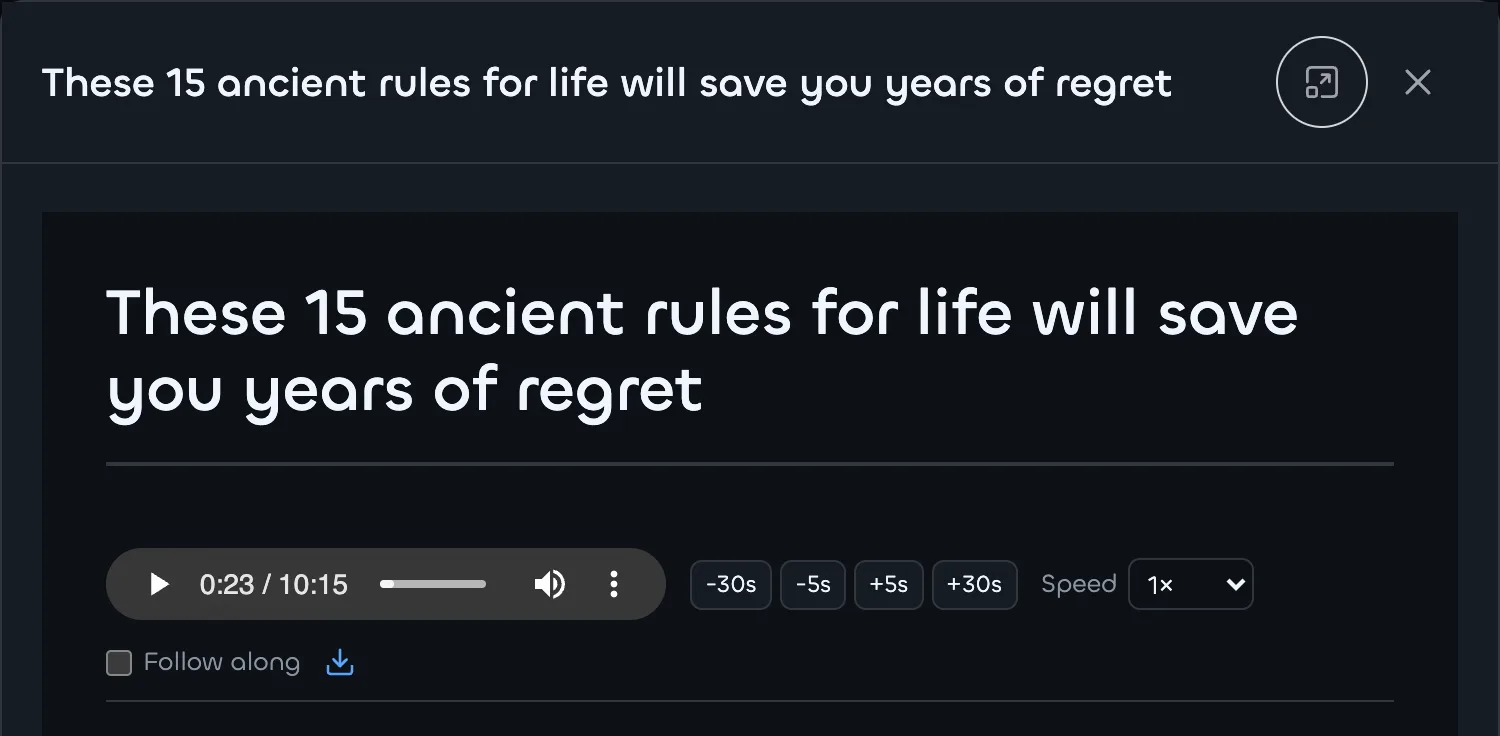
Open any bookmark Linkflare recognizes as an Article and you'll find a Listen button above the text. It turns the article into speech and plays it back with a full set of audio controls — no extra apps and no copy-pasting into a separate text-to-speech tool.
Note: Listen is available for bookmarks of type Article.
Free vs Pro
Everyone can listen for free using a voice built into your browser or device — it works instantly and costs nothing. Linkflare Pro upgrades this to HD audio: a clearer, more natural voice that sounds the same on every device. And because Pro audio is a real file, you can download it, scrub to any point precisely, and keep it playing in the background after you close the tab.
- Free — built-in voice. Uses your device's own voices. Quality and the available voices vary by browser and operating system, and playback needs the tab open.
- Pro — HD voice. A consistent, high-quality narration that's generated once and cached, so re-listening is instant. Downloadable and precisely scrubbable.
Playback controls
- Play, pause, and scrub to any point in the article.
- Skip backward or forward by 5 or 30 seconds.
- Adjust the speed to listen faster or slower.
- Follow along (optional) highlights and auto-scrolls to the paragraph being read, so you can read and listen at the same time.
- The control bar stays pinned below the title as you scroll, so play, speed, and skip are always within reach.
- Download the audio (Pro) to listen offline in any player.
Languages
The free built-in voice covers whatever languages your device provides — often dozens. Pro HD audio is currently available for English, Spanish, and French. For articles in other languages, Pro automatically falls back to the free built-in voice, so you can still listen — just without the HD upgrade for now. More HD languages are on the way.
Tips
- Pair Listen with distraction-free Reader Mode to focus on one article at a time.
- Short on time? Skim the AI article summary first, then listen to the full piece if it's worth it.