Documentation Menu
Reminders
Linkflare allows you to attach date and time-based reminders to any bookmark, ensuring you never forget to read an important article, watch a saved video, buying a present before a loved one's birthday, or revisiting a resource.
When the time comes, you'll simply receive a push notification and an email that reminds you about that bookmark.
Setting a Reminder
You can add a reminder when you first create a bookmark or by editing an existing one.
- Open the Add Bookmark or Edit Bookmark dialog.
- Toggle the Set Reminder switch.
- Use the date and time picker to select when you want to be reminded.
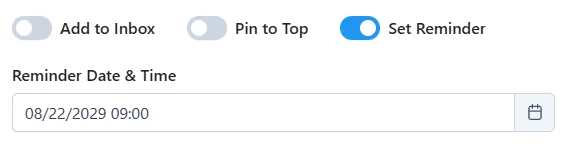
Note: The time picker automatically adjusts to your preferred format (12-hour or 24-hour) based on your system's language settings.
Visual Indicators
Content with reminders is clearly distinct in your library so you can spot pending items at a glance.
Card View
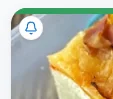
In the standard grid/card view, a bell icon appears in the top-left corner of the bookmark's image. This provides a clear visual cue without obscuring the content.
List/Text View
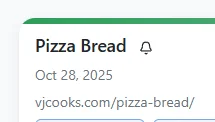
If you are using the list view or have images disabled in your View Settings, the bell icon appears next to the bookmark's title.
Managing Reminders
To change or remove a reminder:
- Edit: Open the bookmark edit dialog and change the date/time.
- Remove: Open the edit dialog and toggle the "Set Reminder" switch off.