Documentation Menu
Recipe Management
Linkflare is your ultimate recipe companion. Save recipes from any website or video, create your own recipes in multiple ways, and access detailed nutrition information—all in one place.
Clipping Recipes from the Web
Save recipes from any recipe website in the world. When you bookmark a recipe page, Linkflare automatically detects the recipe content and extracts structured data for you.
What We Extract
For well-structured recipe pages, we extract a complete recipe including:
- Ingredient Lists: Every ingredient with quantities and measurements
- Step-by-Step Instructions: Clear cooking directions with equipment mentions
- Prep & Cook Time: Know exactly how long it will take
- Servings: Adjust portions as needed
- Full Nutrition Data: Complete macro and micronutrient breakdown
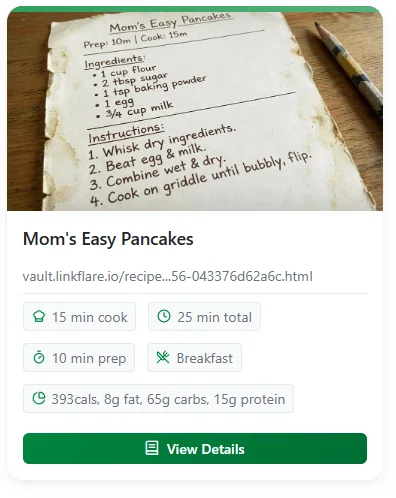
Recipe Details View
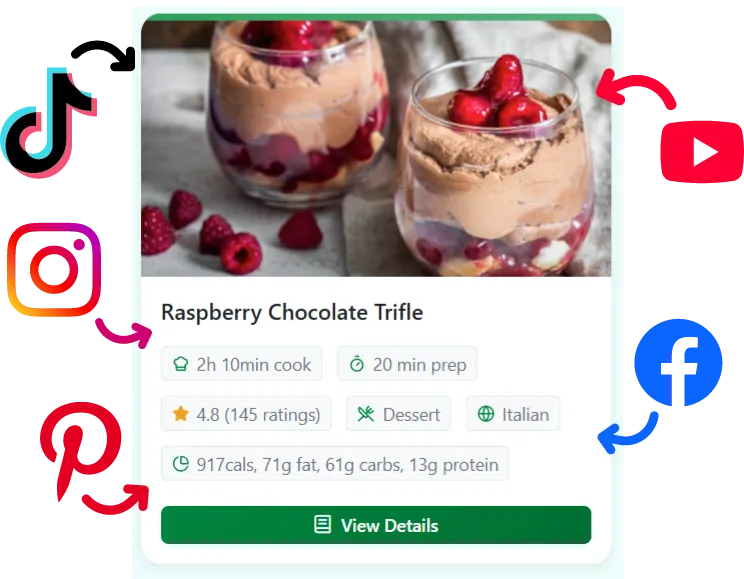
Once saved, click View Details on any recipe card to access the full recipe breakdown with three tabs:
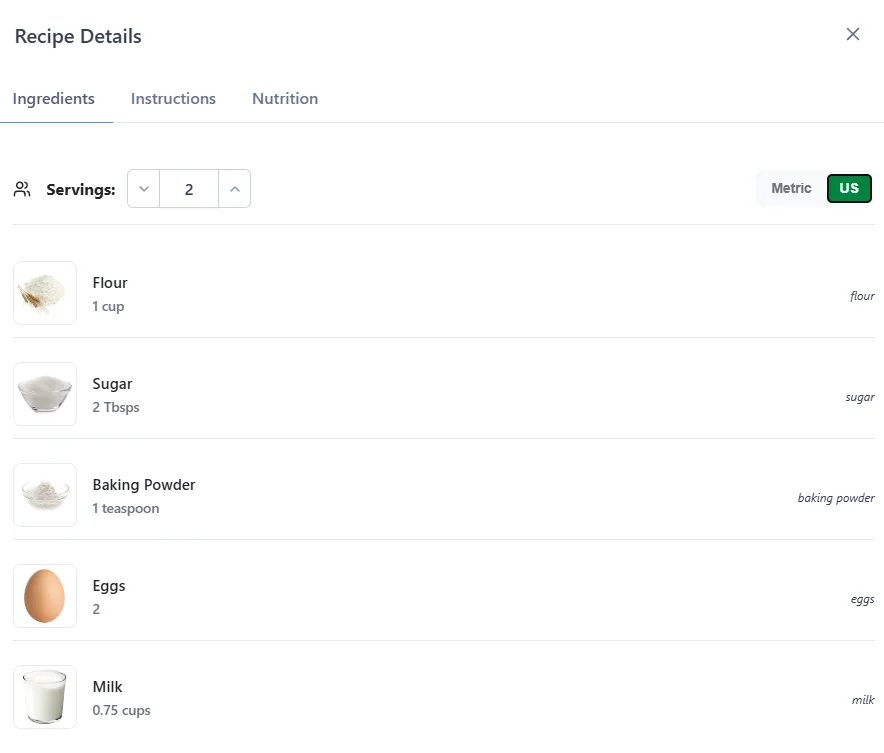
Ingredients Tab
View all ingredients with images and quantities. Use the servings adjuster to scale ingredients up or down, and toggle between US and Metric measurements.
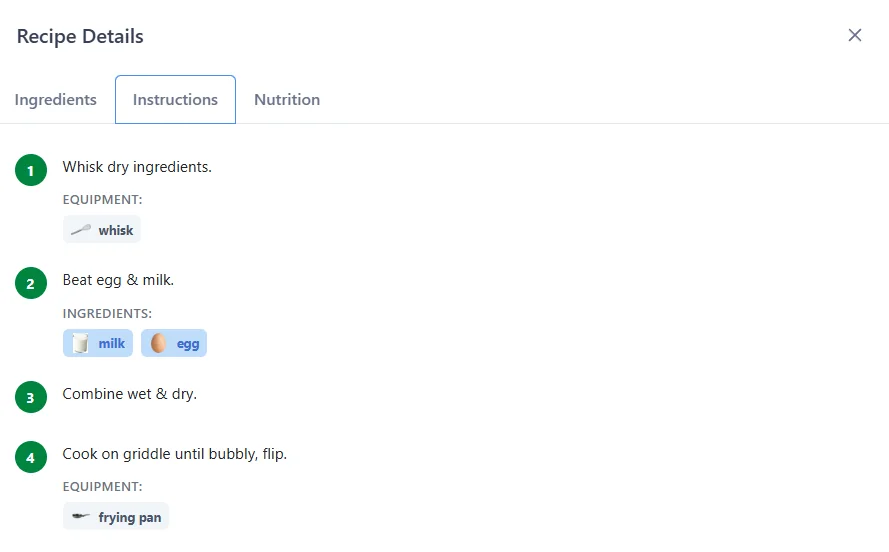
Instructions Tab
Follow clear step-by-step instructions. Each step may include:
- Equipment needed: Whisk, frying pan, etc.
- Ingredients used: Visual ingredient badges for each step
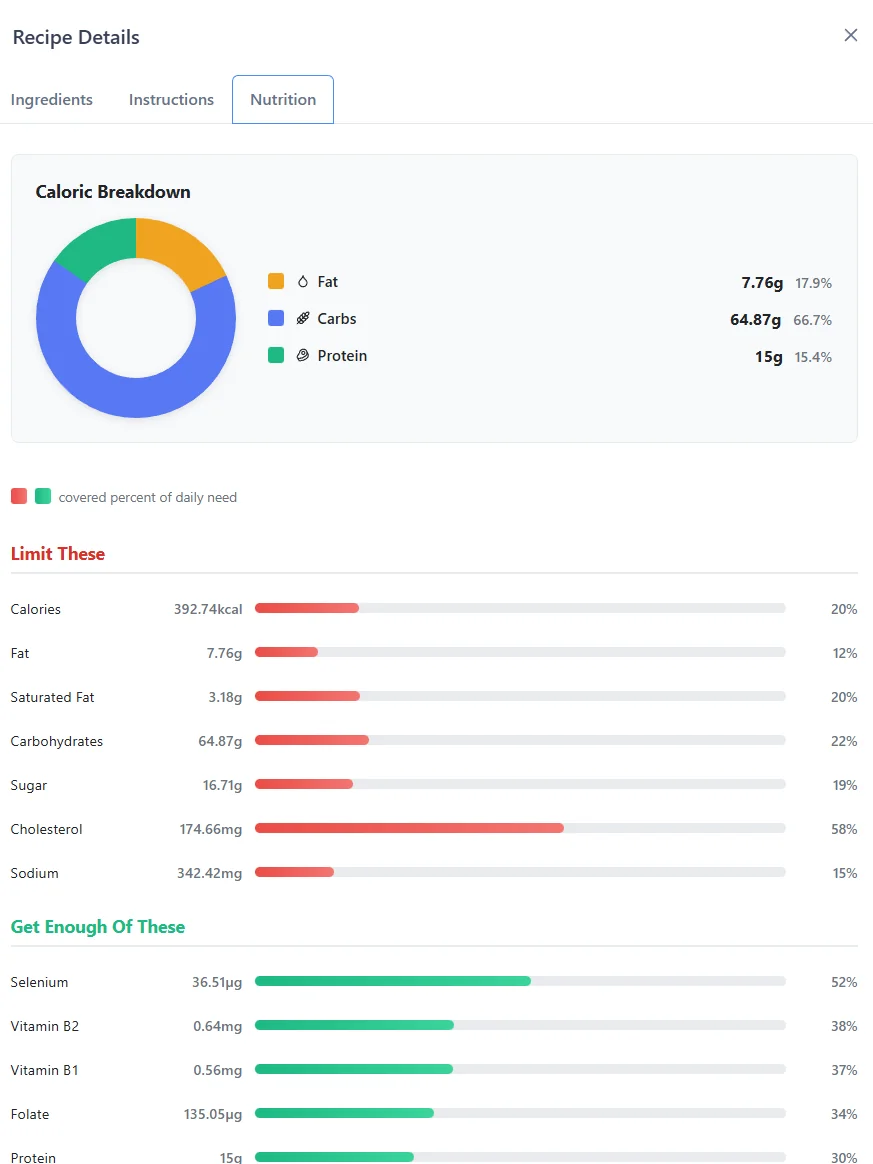
Nutrition Tab
Get a complete nutritional breakdown with:
- Caloric Breakdown Chart: Visual pie chart showing fat, carbs, and protein percentages
- Limit These: Track calories, fat, saturated fat, carbohydrates, sugar, cholesterol, and sodium
- Get Enough Of These: Monitor selenium, vitamins, folate, protein, and other micronutrients
- Daily Value Percentages: See how each nutrient contributes to your daily needs
Extracting Recipes from Videos
Found a delicious recipe on social media? Linkflare can extract recipes from video content across major platforms:
 YouTube
  TikTok
  Instagram
  Facebook
  Pinterest
 Simply bookmark the video URL and Linkflare will analyze the content to extract the recipe, complete with ingredients, instructions, and nutrition estimates.
Creating Your Own Recipes
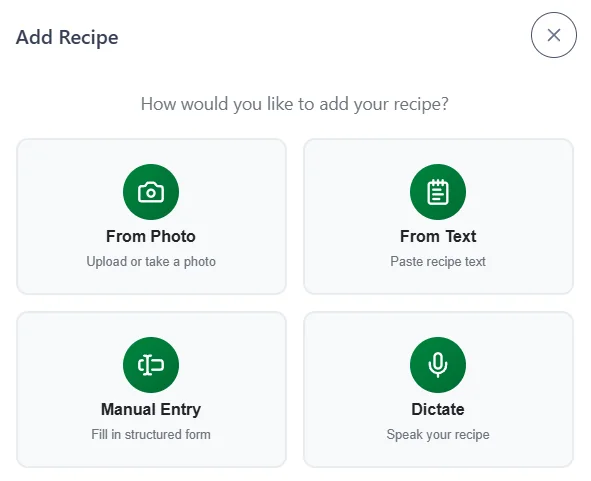
Have a family recipe written on a notecard? A dish you've perfected but never documented? Linkflare offers four easy ways to create recipes that aren't on the web.
From Photo
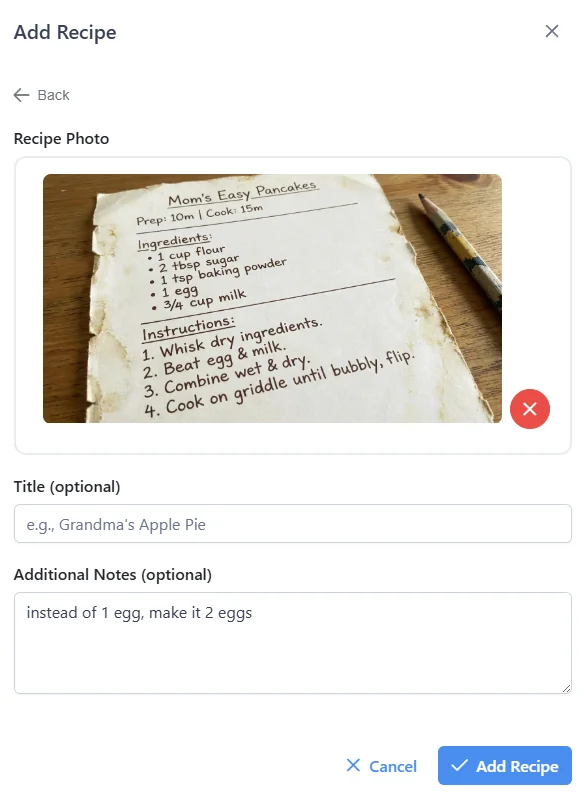
Perfect for: Handwritten recipe cards, cookbook pages, or screenshots
Upload or take a photo of your recipe and Linkflare will use AI to extract the text and structure it into a proper recipe. You can add an optional title and any additional notes.
From Text
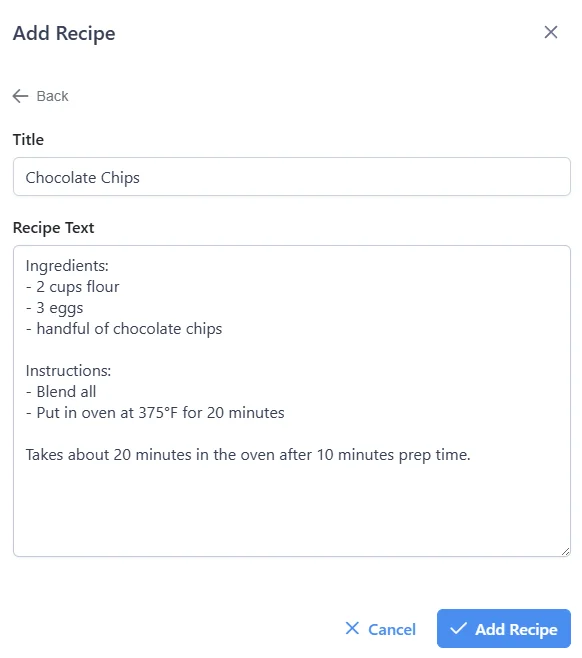
Perfect for: Copy-pasted recipes, text messages, or recipes you've typed up
Simply paste your recipe text—no formatting required. Linkflare will parse the ingredients and instructions automatically.
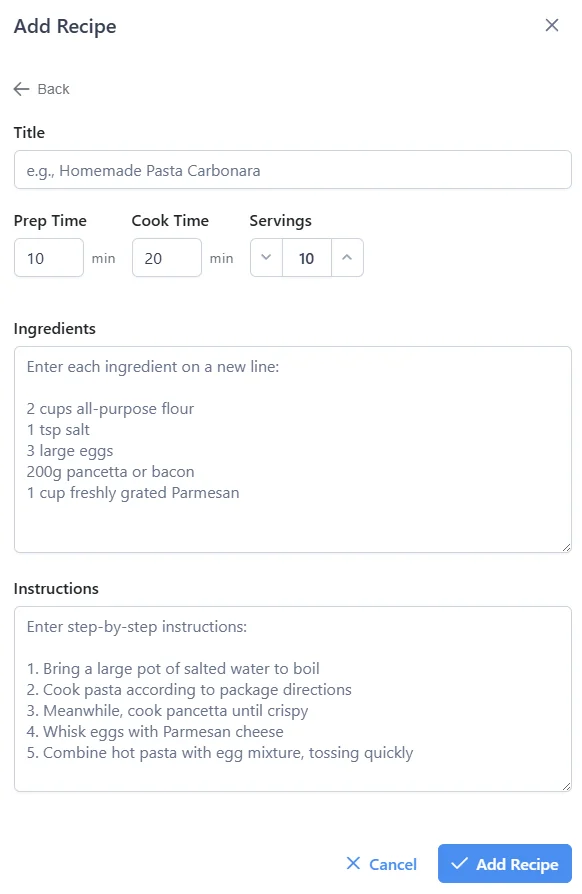
Manual Entry
Perfect for: When you want full control over the recipe structure
Fill out a structured form with:
- Recipe title
- Prep time and cook time
- Number of servings
- Ingredients list (one per line)
- Step-by-step instructions
Dictate
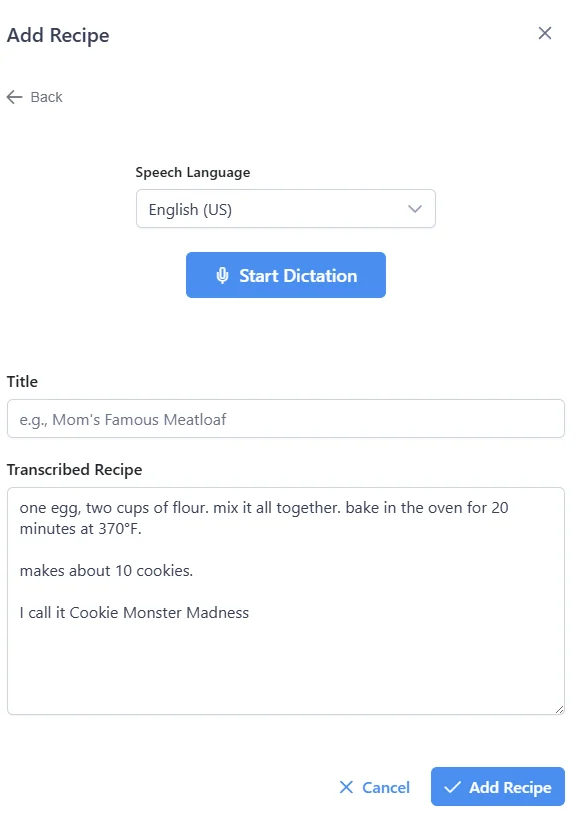
Perfect for: Hands-free recipe entry while cooking, or when you know a recipe by heart
Choose your speech language and simply speak your recipe. Linkflare will transcribe and structure it for you. Great for capturing grandma's recipes as she tells them!
The Linkflare Vault
All your recipes—whether clipped from the web, extracted from videos, or created manually—are stored in your Linkflare Vault. This means:
- Always Accessible: Even if the original website goes down
- Scale Ingredients: Adjust serving sizes and watch all quantities update automatically
- Unit Conversion: Switch between US and Metric measurements with one click
- Full Nutrition: Access complete nutritional data for meal planning
Learn more about the vault in the Vault documentation.