Documentation Menu
Organization
Linkflare provides powerful tools to keep your library organized: Collections for structure, Tags for context, and Saved Searches for automation.
Collections
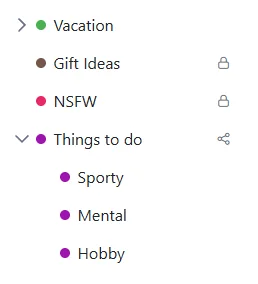
Collections are like folders. They are the primary way to group your bookmarks. You can also created nested collections or subfolders, e.g. one collection called "Europe" and under that you have "Italy", "Germany" etc.
- Create: Click "Add Collection" in the sidebar.
- Color & Icon: Assign a color and icon to make it stand out.
- Drag & Drop: Drag collections to organize them hierarchically.
Note: A bookmark can only belong to one collection at a time.
Tags
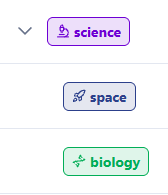
Tags are labels you attach to bookmarks. Unlike collections, a bookmark can have unlimited tags.
Hierarchical Tags
Linkflare supports nested tags, allowing you to build a taxonomy.
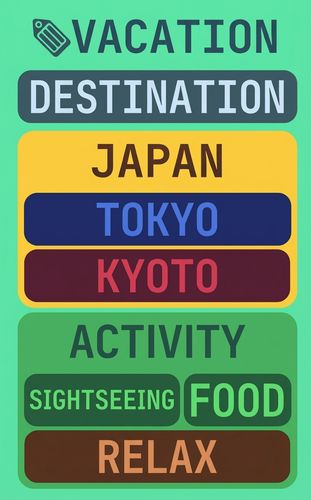
For example, you can have a tag #vacation with sub-tags #scotland, #italy, #greece.
- Search Power: Searching for
#vacationwill automatically find bookmarks tagged with#scotlandor#italy. - Multiple Parents: A tag can have multiple parents.
#scotlandcan be under#vacationAND#europe.
This allows for incredibly flexible organization. You can find all your vacation ideas, or all your Europe links, and the Scotland trip will appear in both.
Visual Cues
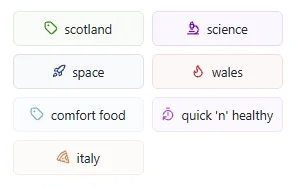
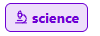
You can assign colors and icons to tags, making them instantly recognizable in your list.
Saved Searches
Saved Searches are dynamic folders. You define the criteria, and Linkflare automatically populates them.
Example: Create a search for "Type: Movie" AND "Rating: Thumbs Up" AND "Tag: Sci-Fi".
Any time you add a new Sci-Fi movie and rate it up, it will automatically appear in this Saved Search.
You can share Saved Searches just like Collections.