Documentation Menu
Browser Extension
The Linkflare browser extension is the fastest way to save content. It's available for any browser via the bookmarklet.
Installation
You can install the extension from your browser's web store.
- Chrome Web Store (for Chrome, Edge, Brave, Opera)
- Firefox Add-on
- Edge Add-on
Using the Extension
One-Click Save
Click the Linkflare icon in your toolbar to instantly save the current page.
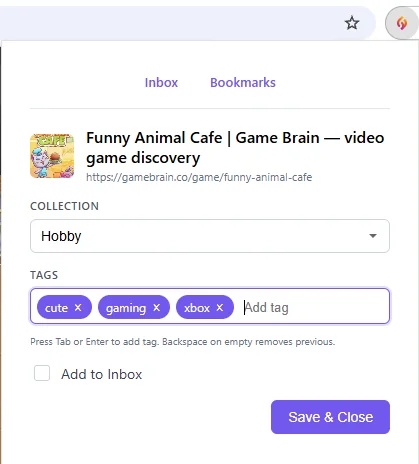
Quick Organize
After saving, a popup appears allowing you to immediately:
- Select Collection: Choose where the bookmark should live.
- Add Tags: Type to search or create new tags.
- Add to Inbox: By default, new items go to your Inbox unless you file them elsewhere.
Context Menu
Right-click on any link or image on a webpage to save it directly to Linkflare without opening it. Look for "Save to Linkflare" in the context menu.

New Tab Page
Turn every new tab into your personal Linkflare dashboard. The extension replaces your browser's default new tab page with a customizable overview of your bookmarks, inbox, and collections — so your saved content is always one tab away.
Dashboard Layout
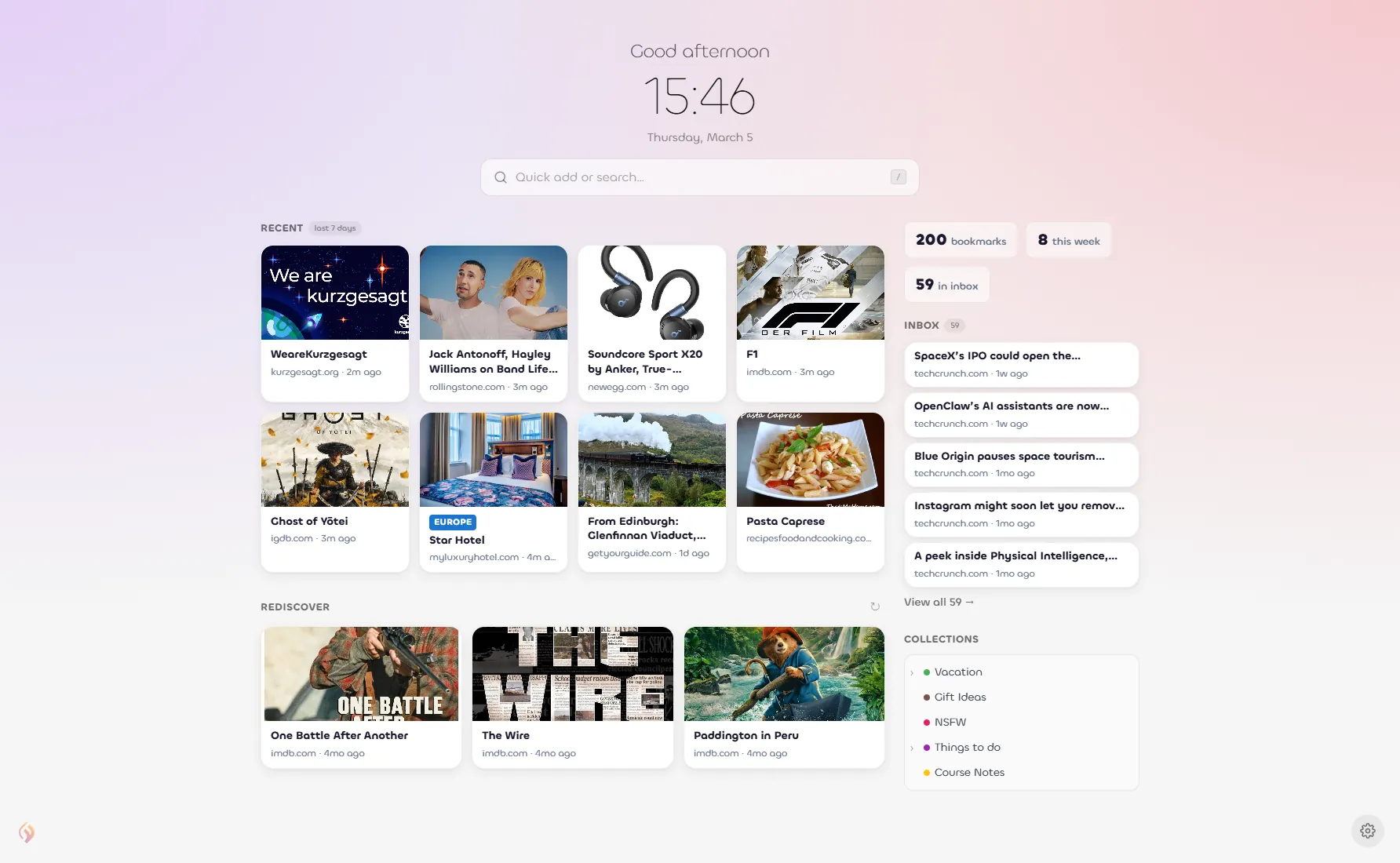
The default Dashboard layout gives you a full overview at a glance:
- Clock & Greeting: A personalized greeting with the current time and date.
- Quick Add / Search: Instantly add a new bookmark or search your entire library.
- Recent: Your most recently saved bookmarks from the last 7 days, displayed as visual cards.
- Stats: A quick snapshot — total bookmarks, items saved this week, and inbox count.
- Inbox: Your latest inbox items so you never forget what's waiting to be read or watched.
- Rediscover: Resurfaces older bookmarks you might have forgotten about — great for revisiting saved content.
- Collections: Quick access to your top-level collections with color-coded dots.
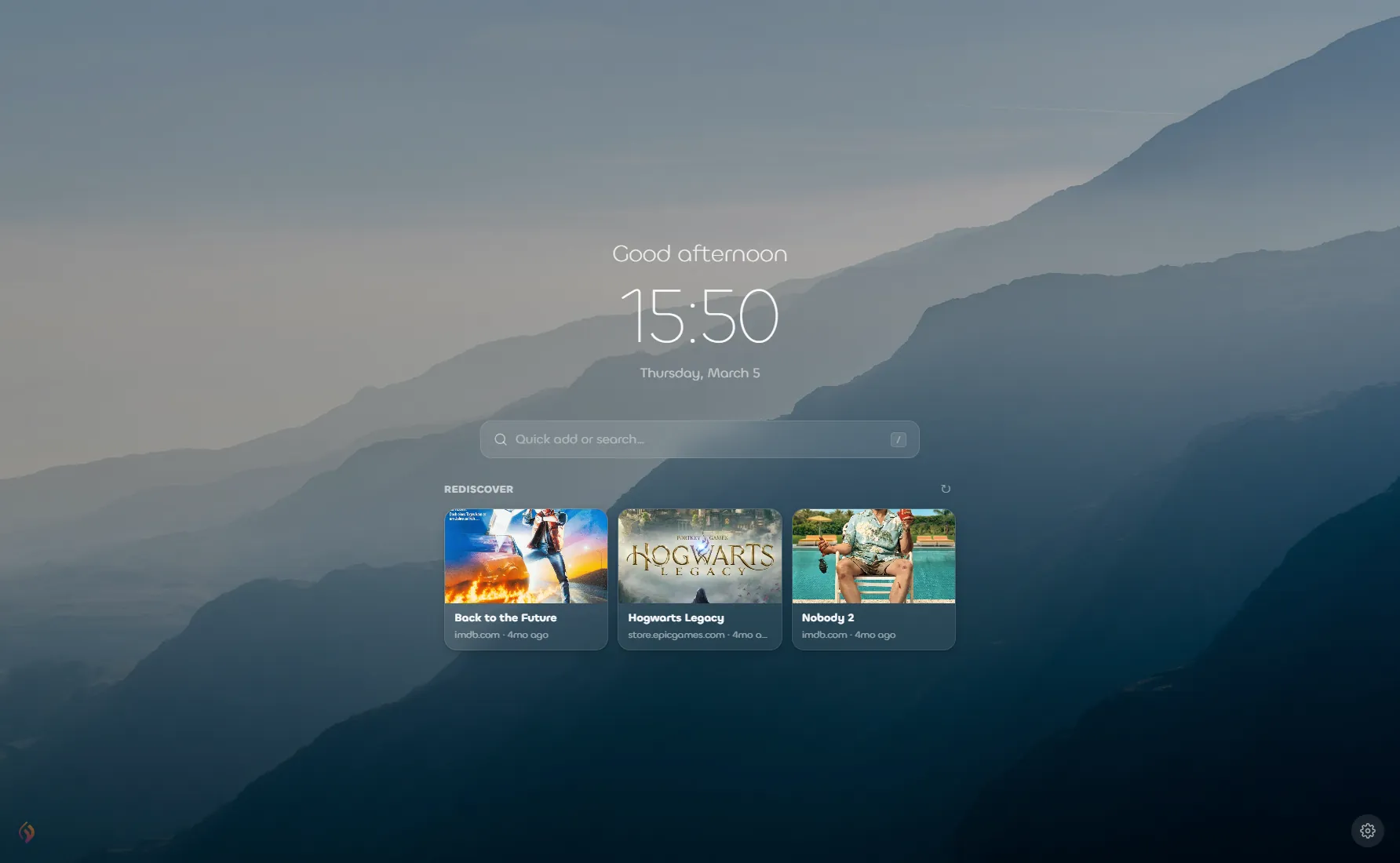
Minimal Layout
Prefer a cleaner look? Switch to Minimal layout to show just the clock, search bar, and Rediscover section over a beautiful background image. Perfect for a focused, distraction-free new tab experience.
Themes & Backgrounds
Make the new tab page yours with full theme and background customization:
- Theme: Choose between Auto (follows your system), Light, or Dark.
- Background: Pick from a curated set of gradient backgrounds, or upload your own custom image using the + button.
- Overlay darkness: Adjust the overlay opacity to ensure text remains readable over any background.
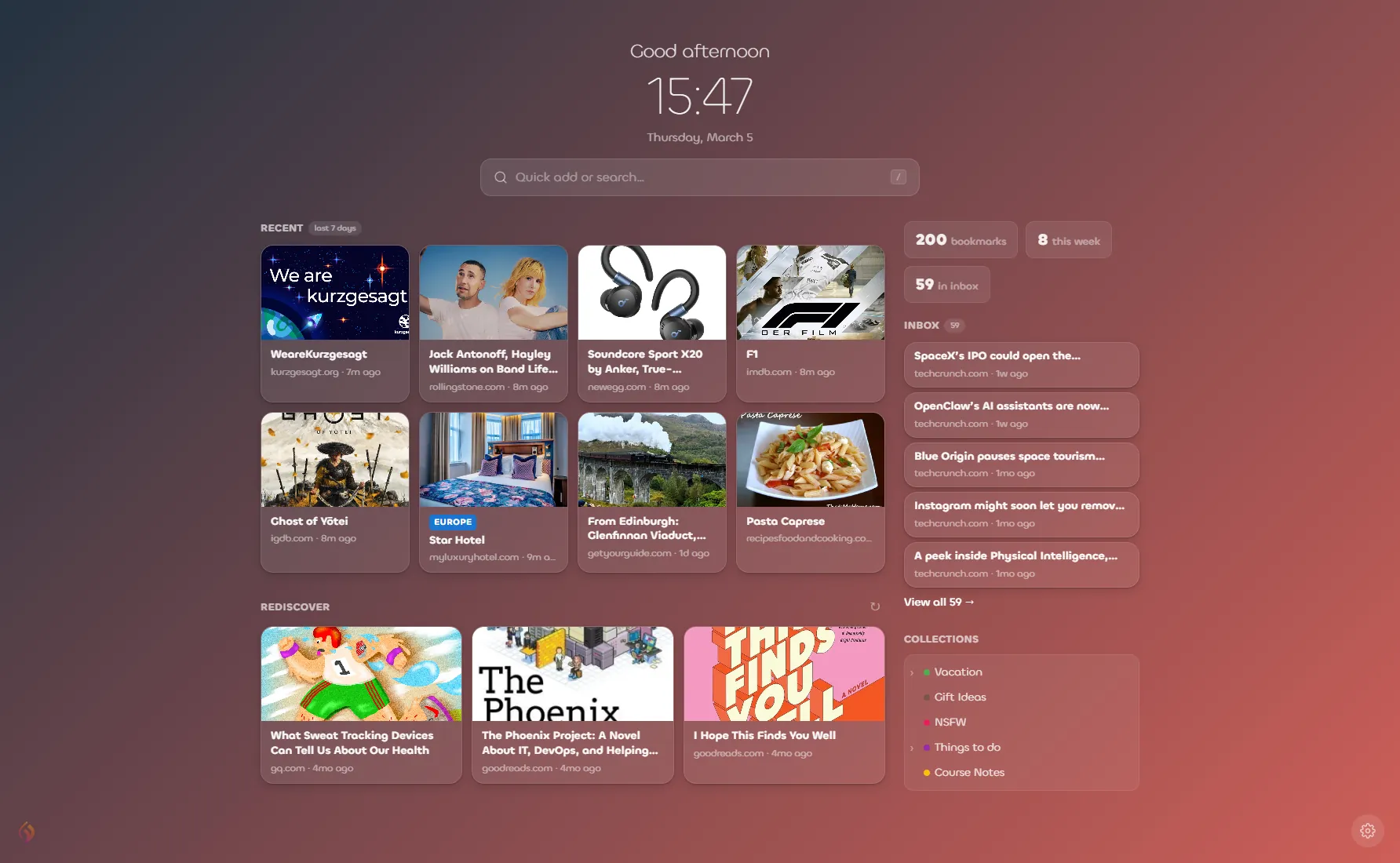
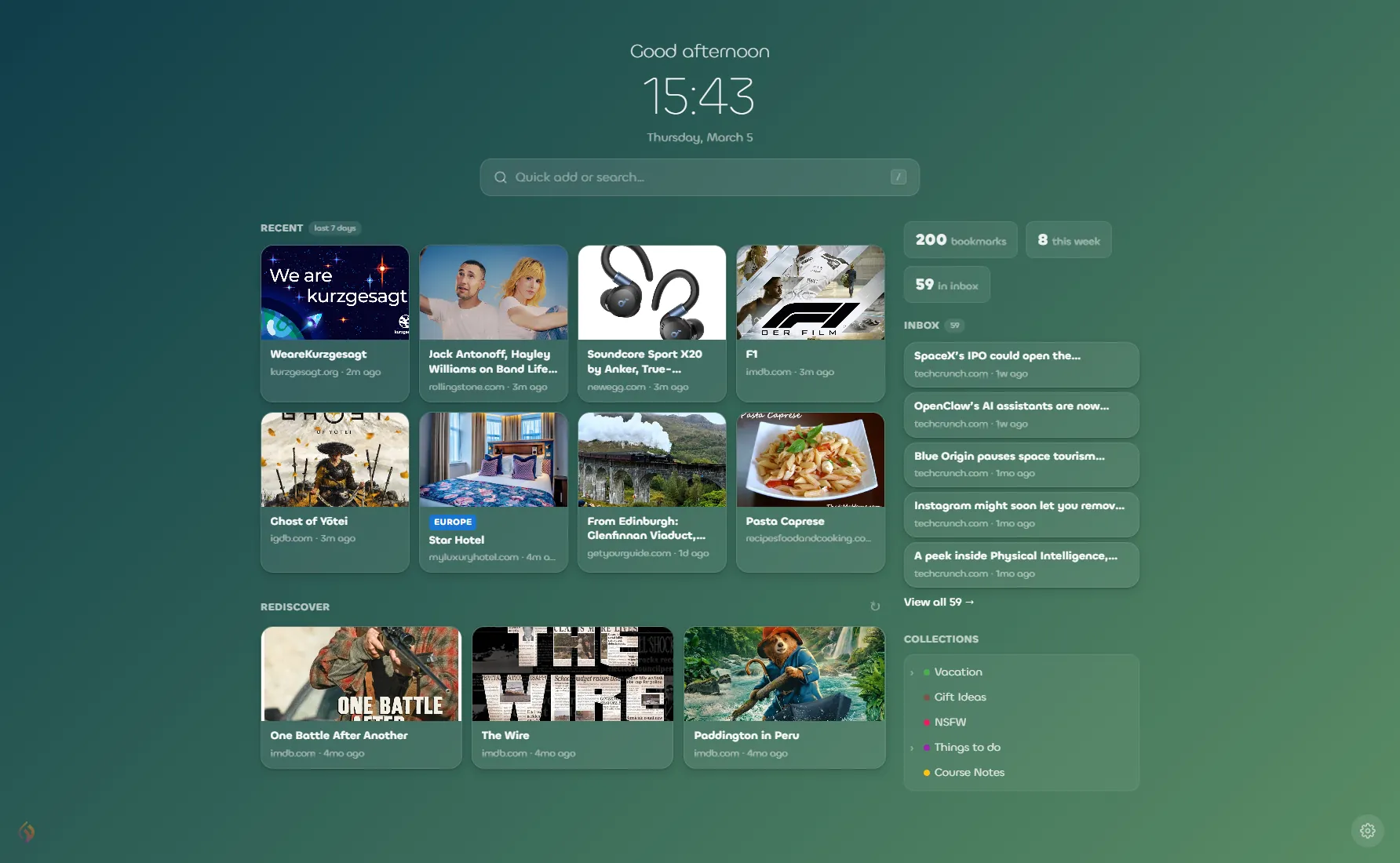
Choose from a variety of gradient backgrounds to personalize your new tab.
Settings
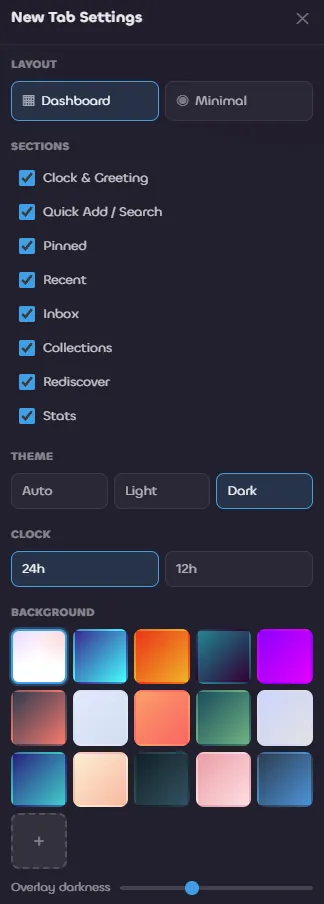
Click the gear icon in the bottom-right corner of the new tab page to open the settings panel. From here you can configure:
- Layout: Toggle between Dashboard and Minimal.
- Sections: Show or hide individual sections (Clock & Greeting, Quick Add / Search, Pinned, Recent, Inbox, Collections, Rediscover, Stats).
- Theme: Auto, Light, or Dark.
- Clock format: 24-hour or 12-hour.
- Background: Choose a gradient or upload a custom image.
- Overlay darkness: Fine-tune the background overlay.
Bookmarklet
If you cannot install extensions (e.g., on a work computer), you can use our Bookmarklet.
Drag this button to your bookmarks bar:
🔥 Save to Linkflare- Drag the "🔥 Save to Linkflare" button above to your bookmarks bar.
- Click it on any page to save.