Second Brain App: What It Is and How to Choose One in 2026
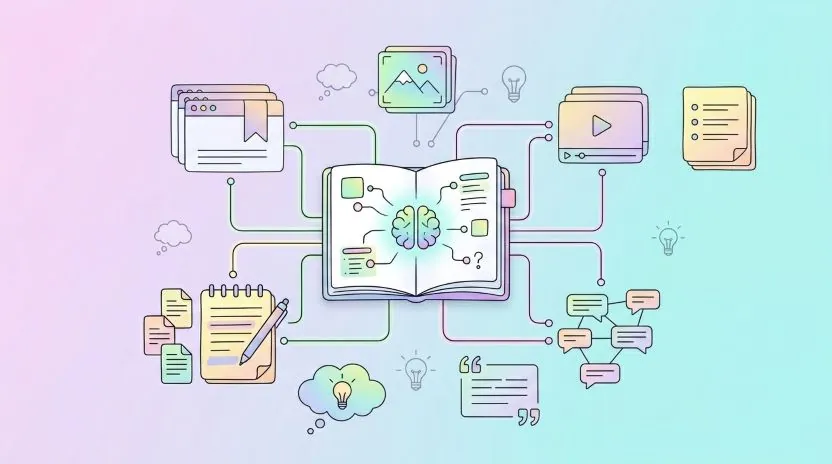
Most people who go looking for a second brain app already have the raw material for one. It is spread across 400 open browser tabs, a notes app full of pasted URLs, a few screenshots, and a bookmarks bar nobody has opened since 2021. Saving things is the part everyone already does. Getting one of those saved things back at the moment it would be useful is where the piles fail.
This guide explains what a second brain app actually does, the three-part loop that makes one work, why a bookmark manager on its own is not enough, and how the main tools in 2026 (Notion, Obsidian, Evernote, Roam Research, RemNote and Linkflare) differ in ways that matter.
What a second brain app actually is
The phrase comes from Tiago Forte's book Building a Second Brain, and it describes a method more than a product category. A second brain is an external system that holds the things your biological brain is bad at holding: exact references, half-formed ideas, articles you will need in six months, the name of that one tool someone mentioned on a podcast.
A second brain app is software that supports that method end to end. Almost every app can store something. Far fewer close the loop and put what you stored back in front of you at a moment when it is useful, and an app that stops before that step leaves you with a digital attic.
A tool earns the label when it handles three things without you fighting it:
- Capture: getting something into the system in under five seconds from wherever you found it, whether that is a browser, a phone share sheet, a video, a PDF or a conversation.
- Organize: filing it well enough that future-you can find it, with as little manual work as possible.
- Review: a mechanism that brings things back, such as a weekly pass, a resurfacing feed, or spaced repetition on the ideas you explicitly want to remember.
The loop: capture, organize, review
Capture has to be frictionless, or it does not happen
Capture only counts if you will still do it on a Tuesday evening on your phone. If saving something requires opening an app, choosing a folder, and typing a title, you will stop within a fortnight and go back to leaving tabs open.
In practice that means a one-click browser extension, a share-sheet target on mobile, and an inbox the app is happy to let you dump things into unsorted. The inbox is the pressure valve that keeps capture cheap, and it is doing its job when it looks messy.
Organizing should mostly happen without you
The classic mistake is designing an elaborate folder hierarchy before there is anything in it. Structure invented in advance rarely survives contact with real material, and maintaining it is the tax that kills the habit.
A better default is to let the tool do the boring part. Modern apps can pull a title, author, publication date, reading time and cover image automatically, and detect whether a link is an article, a video, a recipe or a product. That metadata is what makes a library filterable later. Add a light layer on top, a handful of tags or collections that match how you actually think, and let it grow from there. If you want a deeper walkthrough of the structural choices, our guide to building a personal knowledge base covers them step by step.
Review is the part almost everyone skips
This is the load-bearing step, and the one missing from most setups. Saving an article gives you a reference to it and nothing more. Two weeks later you remember that you read something relevant, but not what it said, and searching for a half-remembered phrase across 2,000 saved links is its own small misery.
There are two review mechanisms worth having, and they do different jobs:
- A weekly pass over the inbox. Fifteen minutes. Delete what no longer matters, file what does, and pull out the two or three things worth acting on. This is triage, and it keeps the system from silently rotting.
- Spaced repetition on things you want to remember. Save it for the specific facts, definitions, arguments and techniques you would be annoyed to forget, rather than for every article you read. The algorithm shows you a card just before you would have lost it, so a handful of minutes a day holds a large amount of material in place.
Almost nobody needs both for everything, though a system with neither will behave exactly like a bookmark folder.
Why bookmarking alone fails
Browser bookmarks are a filing cabinet with no feedback loop. Nothing in the design ever asks you to look at what you filed. There is no inbox, no notion of unread, no resurfacing, and the search only matches titles and URLs, so a page you saved for one paragraph in the middle is effectively gone.
Dedicated bookmark managers fix a lot of that. They add tags, collections, full-text search over saved content, previews and cross-device sync, which is a real upgrade, and for many people it is enough. The failure mode still shows up in miniature: a well-organized library you never revisit produces exactly as much knowledge as a messy one.
The fix is small. Turn the two or three ideas per week that genuinely mattered into something you will see again: a card with a question on the front, a summary in your own words, or a note attached to the source. That is the step that turns collecting into learning, and some tools support it while others make it impossible.
What to look for when choosing a second brain app
Ignore feature lists for a moment and check these seven things. They are the ones people regret not checking a year in.
- Capture on every device you actually use. Browser extension, mobile share sheet, and ideally email-to-save. If capture only works on a desktop, the system only holds desktop-shaped thoughts.
- Automatic metadata. The tool should read the page for you and fill in the title, author, date, type and image. Manual data entry is the single biggest source of abandonment.
- Search that covers the content, not just the title. Ask specifically what is indexed. An index limited to titles and URLs is a real limitation, and it is not always disclosed.
- A review mechanism. Native spaced repetition, a resurfacing feed, or at minimum an inbox and an unread state. If there is nothing, you will have to bolt one on with a calendar reminder, which works as long as you are honest that you are doing it.
- Export that you have tested. A line on a marketing page saying "we support export" proves nothing. Run the export, open the file, and check whether your tags, notes and highlights are in it. Pocket's shutdown taught a lot of people this lesson expensively.
- It handles more than text. Videos, PDFs, recipes and products are real inputs. A tool that only understands articles pushes half your material somewhere else, and split systems die.
- A price that survives a slow month. Second brains compound over years. A tool you cancel during a tight quarter takes your archive's momentum with it.
The main second brain apps in 2026, honestly compared
These tools are genuinely different, and the right one depends on what your raw material is. Any comparison that concedes nothing to the competition is marketing, so every entry below says what the tool is bad at.
Obsidian: best if you write and want to own the files
Obsidian keeps your notes as plain markdown files in a folder on your own disk. Backlinks and the graph view make connections between notes visible, and the plugin ecosystem is enormous, including well-regarded spaced-repetition plugins that add the review layer natively. It is free for personal use, with paid Sync and Publish add-ons.
The trade-off: Obsidian is a note-taking tool first. Web capture works through the official clipper or community plugins, and you are responsible for assembling and maintaining your own setup. If you enjoy that, nothing else gives you as much control. If you want something that works the same on day one and day 400 without tinkering, that maintenance is a real cost.
Notion: best if notes feed projects
Notion is a workspace where a saved article can become a row in a database with a status, a project relation and a due date. The web clipper is decent, collaboration is excellent, and there is a free personal plan. Notion AI is a paid add-on that can summarize and query your pages.
What you give up: Notion has no native review or spaced repetition, reading long articles inside it is unpleasant compared with a real reader view, and large databases get slow. It is superb at turning knowledge into work and mediocre at making sure you remember any of it.
Evernote: best as a long-term archive
Evernote has been clipping web pages for longer than most of its competitors have existed, and its search is still one of its strongest features, including text inside images and PDFs on paid plans. If your goal is "I want to be able to find this in eight years", it does that well.
The catch: the free tier has become very restrictive, pricing has moved upmarket, and the product's centre of gravity is archiving rather than linked thinking or recall. Plenty of people have moved away since the acquisition by Bending Spoons; plenty of long-time users are perfectly happy. Check the current free-plan limits before committing.
Roam Research: best for thinking in public
Roam popularized networked note-taking: daily notes, block references, and bi-directional links that let ideas find each other without a folder structure. For people writing essays or research in the open, that model is genuinely productive and hard to replicate elsewhere.
The limits: it is subscription-only with no meaningful free tier, the interface asks you to adopt its way of thinking, and it is designed for thinking rather than for holding 3,000 links.
RemNote: best if memorization is the point
RemNote merges notes and flashcards: you write a note, mark part of it as a question, and it becomes a spaced-repetition card in the same document. For students, language learners and anyone studying for an exam, this is the tightest capture-to-recall loop available.
The trade-off: it is optimized for study material rather than web capture. As a general place to save the internet it is workable, though that is not its strength.
Linkflare: best if your raw material is the web
Linkflare is ours, so weigh what follows accordingly. The specific claim: it is a bookmark manager that also has knowledge cards and spaced repetition, so capture and review live in one tool instead of two.
Saving is one click from the browser extension or the mobile share sheet, and the metadata (title, author, reading time, cover image) is pulled automatically, with the content type detected so an article, a video, a recipe and a product each get the fields that suit them. Highlights on a page are kept and searchable. Knowledge cards are hierarchical notes you write in your own words, can link back to the sources they came from, and can be scheduled for spaced-repetition review, which is the loop-closing step most bookmark managers leave out. Collections, tags and saved searches handle the structure. The free plan covers 1,000 bookmarks; Pro is 4.99 dollars a month.
What you give up matters here too. Linkflare is not a long-form writing tool: there is no local markdown vault you own on disk, no block references and no backlink graph. Search is full-text and keyword-based rather than semantic, so it will not find a document you can only describe by its meaning. If your second brain is mainly a place to draft, Obsidian or Roam are better answers. If your second brain is mainly the web, and the thing you keep failing at is ever looking at what you saved, this is the trade we optimized for.
A realistic first week
There is no system diagram to draw. Week one only has to get the loop running once.
- Day 1: capture only. Install the browser extension and put the app on your phone. Save everything you would otherwise have left in a tab. Do not file any of it.
- Day 2: bring the past in. Import your existing bookmarks from the browser or your previous app. Accept that most of it is dead weight; the point is to have one library instead of three.
- Day 3 to 6: keep capturing. Still no folder architecture. Let real material accumulate so the structure you eventually build reflects what you actually save.
- Day 7: the first review. Fifteen minutes on the inbox. Delete generously. File what survives into three or four collections, not twenty. Then take the two things that genuinely changed your mind this week and write them as knowledge cards, in your own words, with a question on the front.
Repeat day seven every week. That recurring quarter-hour is the difference between a second brain and a very tidy pile of links. Tags, hierarchies and AI features are optimization on top of a loop that has to run first.
If you want to go deeper on the automation side of this, what AI actually does in a bookmark manager today covers which of the boring parts can genuinely be delegated, and which claims to be sceptical of. And if highlighting and review are the core of your workflow, the Readwise comparison is the most direct one to read next.
Frequently asked questions
What is a second brain app? A second brain app is a personal system for capturing what you read, watch and think, organizing it so it can be found again, and resurfacing it so it actually gets used. The term comes from Tiago Forte's Building a Second Brain method. In practice it means three connected habits (capture, organize, review) supported by one tool instead of scattered notes, bookmarks and screenshots.
Is a bookmark manager a second brain? Not on its own. A bookmark manager solves capture and storage, but a second brain also needs a way to bring things back to you. Without a review mechanism, such as a weekly pass over what you saved or spaced repetition on the ideas you want to remember, a bookmark library becomes a write-only archive you never open again.
What is the best second brain app in 2026? It depends on what your raw material is. Obsidian is the strongest choice if you write long-form and want plain markdown files you own on disk. Notion is best if your notes feed projects and databases. RemNote is best if memorization is the point. Linkflare fits people whose input is mostly the web: it combines bookmarking, knowledge cards and spaced repetition in one place, with a free plan up to 1,000 bookmarks.
Do I need a paid app to build a second brain? No. Obsidian is free for personal use, Notion has a free personal plan, and Linkflare's free plan covers 1,000 bookmarks with knowledge cards and review included. Paid tiers mostly buy you sync, storage, AI features or higher limits rather than the method itself. Start free and upgrade once the habit sticks.
How long does it take to set up a second brain? Setting up capture takes about twenty minutes: install a browser extension, add the app to your phone's share sheet, and import your existing bookmarks. The organizing and reviewing habits take a few weeks to settle. Resist building an elaborate folder structure before you have anything in the system, because structure should follow your actual material rather than precede it.
Keep Reading
How to Build Your Personal Knowledge Base in 2026
The step-by-step version of the method, from capture through weekly review.
AI Bookmark Manager: What Actually Works
Auto-tagging, summaries and semantic search: what is real and what is hype.
Best Bookmark Managers in 2026
Linkflare, Raindrop, Pinboard, Diigo and more, compared on features and price.
Bookmark Manager: The Complete Guide
What a bookmark manager does, how to pick one, and how to migrate.