Best Bookmark Managers in 2026
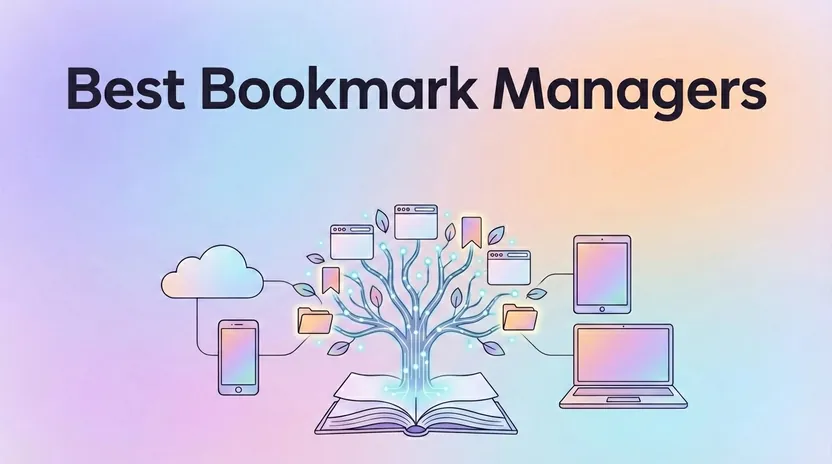
If you’ve ever lost an important article in a sea of browser tabs or spent 10 minutes hunting for a link you saved “somewhere,” you already know the problem. Native browser bookmarks were designed for a simpler era, before we started juggling research across Chrome, Safari, and Firefox, saving videos to watch later, collecting recipes, and planning trips with scattered Google Maps pins. A bookmark manager is a tool that helps you save, organize, and retrieve web links.
This guide is for readers, researchers, digital collectors, and anyone drowning in disorganized web links. The right bookmark manager can save you hours each week and keep you from losing something you meant to come back to.
The average user accumulates over 1,000 bookmarks without proper management, and retrieval times can exceed 30 seconds per link. That’s where modern bookmark managers come in: productivity tools for your digital life that organize links into customizable collections with visual elements, so you can find and categorize what you saved.
After hands-on testing of 20+ tools, Linkflare is the best overall bookmark manager in 2026 for readers, researchers, and collectors who want one place for all content types. Raindrop.io, Diigo, and Pinboard each win in a specific niche. Linkflare is the only one here that combines read-later functionality, universal bookmarking, knowledge management, and trip planning in a single app.
Introduction to Bookmark Management
Bookmark management is the practice of organizing and maintaining a personal library of web pages, articles, and other online resources so you can get back to them quickly. Skip it and links vanish into a sea of browser tabs and forgotten folders.
Bookmark managers are the tools for that job. Tagging, search, and visual organization turn a chaotic pile into a knowledge base you can move around in. Students, professionals, and casual browsers all get the same payoff: less clutter, more done, and a decent chance the thing you saved is still findable.
Who Each Top Pick Serves Best
The short version, by use case:
Best Overall: Linkflare. Universal bookmark manager for readers, researchers, travelers, and digital collectors
Great Visual Manager: Raindrop.io. Card-based interface for designers and visual thinkers
Good for Research & Annotation: Diigo. Academic highlighting and collaborative research
Advanced Cross-Browser Sync: Dewey. Import from multiple browsers and social media platforms
Best Minimalist Manager: Pinboard. Fast, text-first bookmarking for power users
Best Minimalist Read-Later: Instapaper. Simple, focused reading queue
Best for Note-Takers: Evernote Web Clipper. Direct capture into Evernote notebooks
Best Dashboard Homepage: Start.me. New tab command center with widgets
Best Bookmark Managers for Teachers, Schools & Students
Classrooms have a bookmarking problem offices do not: you have to hand the same curated set of links to thirty people, keep it usable next term, and do it without asking anyone to create yet another paid account. These three handle it best.
Best for a teacher’s own resource library: Linkflare. Collections and tags keep lesson material, reading lists, and videos separated by class or topic; a public share link opens for students with no signup; and the archived copy of every saved page means a resource you found in September still opens in June. Free up to 1,000 bookmarks.
Best for annotation and group research: Diigo. Highlights and sticky notes live on the page itself, and group libraries let a class gather sources together. It has the longest track record in education of anything in this roundup.
Best for a shared class start page: Start.me. One dashboard of links you can project or set as the class new tab, which is often all a younger year group needs.
Two things worth checking before you roll anything out to students: whether accounts are required (they are for Diigo groups, not for opening a Linkflare share link), and whether you can export the whole library as HTML if the school switches tools later. Every option above supports standard HTML export.
What Makes a Great Bookmark Manager in 2026?
In 2026 a bookmark manager is closer to a knowledge management system: it captures, organizes, and retrieves information from everywhere you go on the web.
I judged the tools in this guide on these criteria:
Universal capture: Can it save links, PDFs, videos, social media posts, podcasts, and locations as well as plain web pages?
Content type recognition: Does it automatically classify bookmarks by type (books, recipes, games, movies, places, and more) and organize them accordingly? Any modern bookmark manager needs this, and Linkflare currently leads on it.
Powerful search and tagging: Does it offer keyword search, nested collections, and tags for fast retrieval from thousands of items?
Cross platform support: Works across Chrome, Firefox, Safari, Edge, iOS, Android, desktop apps, and web interfaces
Offline access: Can you read saved content without an internet connection?
Distraction-free reading: Does it strip ads and clutter for focused content consumption?
Collaboration features: Can you share collections with teams, friends, or study groups?
Export and backup: Can you get your data out in standard formats (HTML, JSON, CSV) if you switch tools?
Custom integrations: Does it connect to other apps or services so you can automate workflows?
Future-proofing: Can you still find and access a link years later, even if the original site changes?
Browser-independent and device-independent support is non-negotiable in 2026. Your bookmarking app should work wherever you work instead of locking you into one ecosystem.
On security: review privacy policies before trusting a tool with your saved pages. Look for encryption in transit, clear data ownership terms, and reliable export options.
Types of Bookmarking Solutions
Bookmark managers come in three shapes. Desktop apps give you offline access and deep integration with your operating system, which suits anyone who works on one machine. Web-based managers let you reach saved pages from any device with a connection, usually with cloud syncing and cross-platform support. Mobile apps keep your links within reach when you are away from a desk.
They also split by depth. Some keep it simple: a clean interface for casual users who want to save and organize links with minimal effort. Others, like Diigo, are research focused, with annotation, highlighting, and collaboration for academics, students, and professionals who curate and share resources. Shared collections show up in most modern tools, so a team can work from one library. That makes a bookmark manager as useful at work as it is at home.
Linkflare: Best Overall Universal Bookmark Manager
Linkflare is a universal bookmark manager and Web App designed to replace several separate tools. Instead of using Raindrop.io for visual bookmarks, Instapaper for articles, Goodreads for books, and Pinterest for recipes, you can consolidate everything into one system.
The idea is simple: save everything in one place. Articles, videos, podcasts, books, recipes, movies, and locations all live in Linkflare, automatically classified into Watch, Read, Listen, or Play queues based on content type.
What sets Linkflare apart is its browser-independent, device-independent architecture. As a PWA (Progressive Web App, a web application you can install and use like a native app) with full offline reading support, it runs on desktop and mobile without separate native apps. In direct comparison tests across usability, organization depth, and long-term knowledge retrieval, Linkflare came out on top.
It’s built for “collectors, readers, and thinkers”: knowledge workers managing research, avid readers building personal libraries, and travelers planning trips with location-aware bookmarks.

Key Features of Linkflare
Save Everything
Save standard web links, YouTube and Vimeo videos, podcast episodes, PDFs, book and movie pages, recipes, and Google Maps locations (see all supported bookmark types)
One-click saving via browser extensions for Chrome, Firefox, and Edge
Automatic metadata extraction including titles, favicons, and visual previews
Smart Classification
Content automatically sorts into Read, Watch, Listen, or Play queues
A New York Times article goes to Read; a YouTube conference talk goes to Watch; a Spotify episode goes to Listen; a Steam game or Netflix movie goes to Play
No manual sorting: save it and find it in the right queue
Distraction-Free Reading
Cleaned-up article view strips ads, popups, and navigation clutter, powered by Reader Mode
Customizable fonts, themes, and reading modes for long-form sessions
Save articles from across the entire web and consume them in a calm, focused interface
Tags and nested collections for multi-dimensional categorization
Knowledge Cards (customizable cards for organizing and structuring information hierarchically) let you build hierarchical structures for topics, projects, courses, or research areas
Full text search across all saved content with instant search results
Location-Aware Bookmarks
Save places with map previews directly from Google Maps or location-based web content
Group saved locations by city, country, or trip itinerary (see how in our trip planning guide)
Plan a 2026 Japan trip with cafes, museums, and hiking trails all saved and organized together
Sharing and Collaboration
Create public lists for book recommendations, movie wishlists, or curated resources
Share reading lists with friends, study groups, or team members
Collaboration tools with custom permissions for group projects
Offline Access
Entire queues and saved articles available offline for commutes, flights, or spotty Wi-Fi
PWA architecture means you can install it on your home screen and use it like a native app
Who Linkflare Is Best For
Knowledge workers and researchers who collect hundreds of links, PDFs, and articles over months or years and need to retrieve them reliably without bookmark bloat
Avid readers and lifelong learners who want a calm, distraction-free environment to read and annotate web content from newsletters, blogs, and publications
Travelers who plan trips by saving restaurants, museums, hikes, and accommodations in one place with map previews and offline access while abroad
Digital collectors who save books, movies, recipes, and learning resources and want them organized consistently instead of scattered across Goodreads, Pinterest, spreadsheets, and browser folders
Teams and study groups who need to share collections and manage bookmarks collaboratively with real-time sync
Pricing and Availability
Linkflare is a web-based app with full PWA support. You can install it on Chrome, Safari, Edge, Firefox, iOS, and Android directly from your browser, with no app store involved.
Free plan: Suitable for personal use and testing core features
Paid tiers: Unlock premium features such as more bookmarks, more feed subscriptions, permanent backups, and team collaboration
Data portability: Export your bookmark collection to standard formats (HTML, JSON, CSV) at any time
Getting started takes under a minute: visit linkflare.io, sign up, and start saving.
If you want something more visual, Raindrop.io is the next stop.
Raindrop.io: Visual Bookmark Manager for Individuals
Raindrop.io is the go-to visual bookmark manager for designers, creatives, and anyone who thinks in images rather than text lists.
Its card-based interface shows thumbnails and cover images for every bookmark, so large collections are easy to scan. If you build inspiration boards or manage visual research for design projects, Raindrop’s layout feels natural.
Key Features:
Visual collections with thumbnails, favicons, and customizable cover images
Nested folders and robust tagging system for organizing bookmarks
Full text search of saved pages (Pro plan) with 95% recall accuracy on 10,000+ bookmark datasets
Browser extensions for Chrome, Firefox, Safari, and Edge
Mobile apps for iOS and Android with cloud syncing
Best For:
Designers building mood boards and inspiration collections
Visual thinkers who prefer scanning images over reading lists
Individual power users managing large personal libraries
Limitations Compared to Linkflare:
No built-in Read/Watch/Listen/Play queues for content consumption
Weaker as a dedicated read-later tool, with no equivalent of Linkflare's distraction-free reading mode
No location-aware bookmarking for trip planning
No recipe clipping or any other type detection
Team collaboration limited compared to Linkflare's enterprise features
Pricing: Free tier with basic features; Pro at approximately $3.7/month unlocks full text search, nested tags, and additional storage.
For a minimalist, article-focused experience, look at Instapaper.
Instapaper: Best Minimalist Read-Later Tool
Instapaper remains a favorite read it later app for people who want the simplest possible way to save and read text articles.
The design philosophy is minimalism: save an article, read it later in a clean interface, and move on, with no extra machinery to configure.
Key Features:
Minimal, uncluttered reading interface
Speed reading options (text highlighting that guides your eye)
Highlighting and basic note-taking on saved articles
Cross platform support via web, iOS, and Android
Folder organization and basic tagging
Text-to-speech lets you listen to saved articles hands-free
Best For:
Readers who want a bookmark manager for articles and nothing more
Users who prefer simplicity over feature depth
Mobile readers who want a clean, focused experience
Limitations:
Doesn’t attempt to manage videos, books, places, or structured knowledge libraries
Limited organization compared to full-featured bookmark managers
No collaboration features
Search and notes limited on free plan
Pricing: Instapaper has a free version with basic saving and reading, which suits casual users who want distraction-free reading without paying upfront. Premium unlocks full text search and better note features.
Instapaper does one thing well, reading articles, while Linkflare covers a broader scope: different content types, locations, and long-term knowledge.
If your work is research-heavy and you need annotation tools, Diigo is the stronger alternative.
Diigo: Best for Research & Annotation
Diigo is a research focused bookmark manager that pairs bookmarking with the annotation tools academics, educators, and student teams rely on.
Unlike tools focused purely on saving links, Diigo lets you highlight text directly on web pages, add sticky notes, and build group libraries for collaborative research projects.
Key Features:
Save bookmarks with tags and descriptions
Highlight text on live web pages with multiple colors
Add sticky notes and annotations visible on return visits
Build group libraries for team research, literature reviews, and classroom sharing
PDF highlighting and annotation (premium plans)
Outliner tool for organizing research notes
Best For:
Academic researchers managing literature reviews
Educators building curated resource libraries for students
Student teams doing collaborative research projects
Anyone who needs annotation tools integrated with bookmarking
Limitations Compared to Linkflare:
Interface feels dated compared to modern tools
No distraction-free reading mode for saved articles
Lacks location-aware bookmarks and trip planning features
No automatic content classification (Read/Watch/Listen queues)
Can feel more like a research notebook than a consumption tool
No type detection, e.g. no recipe clipping possible
Pricing: Free plan with limited highlights; paid plans at $40-59/year unlock unlimited highlights, team libraries, and advanced features.
Diigo excels at inline web annotation, while Linkflare focuses on clean reading, structured Knowledge Cards, and multi-type content organization.
To pull bookmarks together from several browsers and social platforms, look at Dewey.
Dewey: Best for Cross-Platform, Browser-Independent Bookmarking
Dewey solves one problem: bookmarks scattered across multiple browsers and social media platforms.
If you save links in Chrome at work, Firefox at home, and Safari on your phone, and also bookmark content from LinkedIn and other social platforms, Dewey pulls everything into one searchable index.
Key Features:
Import and sync bookmarks from Chrome, Firefox, Safari, and other browsers
Capture content from social media platforms at the moment of saving
Page snapshots for archival access even if original content is deleted or changed
Cross platform compatibility across all major browsers
Powerful search capabilities across your entire bookmark collection
Best For:
Users who frequently switch between browsers and devices
Social media managers and researchers tracking content across platforms
Anyone needing a single index of all saved web links
Users who want archival snapshots for competitor research
Limitations Compared to Linkflare:
No distraction-free reading mode
Lacks trip planning and location-aware bookmarks
No Read/Watch/Listen/Play queues for content consumption
Archival tools require trust, so review the privacy policy for page snapshot storage
Dewey is strong for cross-browser archival and social media capture, while Linkflare provides a universal PWA approach with deeper consumption and organization features.
If speed and simplicity matter more than anything else, Pinboard is the classic choice.
Pinboard: Best Minimalist Bookmark Manager for Power Users
Pinboard is a no frills bookmark manager beloved by developers, researchers, and power users who value speed and reliability over visual polish.
Its text-first interface loads instantly, and its tagging system gives you precise, rapid organization without clutter. If you think of bookmarks as data rather than visual collections, Pinboard feels like home.
Key Features:
Fast, minimalist interface that prioritizes speed over aesthetics
Powerful tagging system with instant search
Archival option stores copies of pages for full text search (even if sites disappear)
Privacy-focused positioning with clear data ownership
One-time or annual payment model instead of monthly subscriptions
Best For:
Developers managing API documentation and technical resources
Researchers who need fast, reliable bookmark retrieval
Power users who prefer text and tags over visual organization
Privacy-conscious users who appreciate the business model
Limitations:
No visual interface or thumbnail previews
No distraction-free reading mode
No content queues or consumption-focused features
Interface feels dated compared to modern UX standards
Mobile experience is limited
Pinboard is ideal if you want pure text + tags and don’t need visuals, queues, or guided reading experiences. Linkflare is better for readers who want a richer, more consumption-focused workflow.
If you already live in Evernote, the Web Clipper is the natural fit.
Evernote Web Clipper: Best for Note-Takers in Evernote
If you already organize your work and research in Evernote, the Evernote Web Clipper browser extension lets you save web content directly into your notebooks without switching tools.
It is a capture tool that extends Evernote’s note-taking system to the web, not a standalone bookmark manager.
Key Features:
Multiple capture modes: full article, simplified articles, screenshot, bookmark-only
Optional annotations and highlighting on capture
Content saves directly into Evernote notebooks with tags
Seamless integration with existing Evernote workflows
Works across Chrome, Firefox, Safari, and Edge
Best For:
Existing Evernote users who want all content in one notes system
Users who mix saved web content with handwritten notes, documents, and PDFs
Teams already collaborating in Evernote workspaces
Limitations:
Evernote is primarily a note-taking app, so large bookmark libraries can feel clunky
No dedicated reading mode or consumption queues
Requires Evernote subscription for full functionality
Not ideal for users who don’t already use Evernote
Linkflare is built from the ground up for bookmarking, queues, and Knowledge Cards, while Evernote is strongest as a document and note hub that happens to support web clipping.
A few more specialized tools are worth a mention.
Other Notable Bookmark Managers
Start.me
Transforms your new tab into a dashboard homepage with bookmark tiles, RSS feeds, and widgets
Best for users who want a “command center” when they open their browser
Includes team plans with cloud syncing via Dropbox
Rated 4.4/5 on G2 for customization options
Limitation: Not focused on reading or content consumption
Bookmark OS
Desktop-like visual interface with icons and folders resembling a file system
Good for users who think in files/folders and want familiar organization
Web-based with drag-and-drop management
Limitation: Limited mobile support and no offline access
Papaly
Board-style visual organization with drag-and-drop and public sharing
Completely free for basic use
Appeals to casual users wanting simple visual collections
Limitation: No offline mode, limited advanced features
Toby
Hijacks the new tab for visual tab management, which cuts browser tab overload, though it is extension-only with weak mobile sync
Notion Web Clipper
Saves to Notion databases for users in that ecosystem, but slower on large libraries versus dedicated managers
Markify
Auto-extracts metadata with visual appeal but lacks collaboration depth
(Pocket)
Pocket used to be a popular read it later app but was discontinued mid 2025. Here are good pocket alternatives.
These tools each fit a specific workflow. What they lack is the universal set (distraction-free reading, location-aware bookmarks, consumption queues, and offline reading) that makes Linkflare the more complete choice for most people.
Best Bookmarking Practices
A few habits make any bookmark manager work better.
Develop a Consistent Tagging System
Use clear, descriptive tags for each bookmark.
Stick to a set of core tags to avoid confusion and duplication.
Consider using nested tags or tag hierarchies if your manager supports them.
Organize Bookmarks into Collections or Folders
Group bookmarks by topic, project, or interest.
Create folders or collections for ongoing projects or recurring research areas.
Regularly review and reorganize as your needs evolve.
Use Browser Extensions and Web Clippers
Install browser extensions or web clippers for instant saving from any page.
Take advantage of one-click saving to streamline your workflow.
Leverage Search and Full Text Search
Use instant search to quickly locate bookmarks.
Use full text search to find content inside articles or saved pages.
Annotate and Add Context
Use annotation tools and sticky notes to add reminders or context.
Highlight important sections for future reference.
Regularly Review and Clean Up
Set a schedule to review your bookmark collection.
Remove outdated or irrelevant links to keep your library efficient.
Social Media Integration
Many bookmark managers also connect to social media platforms. What that buys you:
Save Content Directly from Social Feeds
Use integrated tools to save articles, videos, and posts from platforms like Twitter, LinkedIn, and Facebook.
Curate resources for personal use or sharing with colleagues.
Organize Social Content for Campaigns or Research
Create visual collections for campaign planning or trend tracking.
Tag and categorize social media bookmarks for easy retrieval.
Collaborate and Share Collections
Share curated collections with team members or followers.
Set permissions for public or private sharing as needed.
Stay Up-to-Date with Trends
Use social integration to discover and save trending content relevant to your interests or industry.
Security Considerations
Your saved pages say a lot about you, so security matters. Four things to check:
Choose Bookmark Managers with Robust Security Features
Look for encryption, secure cloud syncing, and clear privacy policies.
Prefer managers that offer two-factor authentication and granular sharing controls.
Be Mindful When Sharing Bookmarks
Review sharing settings before collaborating or making collections public.
Limit access to sensitive or personal information.
Prioritize Data Portability and Ownership
Ensure your chosen manager allows easy export of your data in standard formats.
Understand the terms of service regarding data ownership and retention.
Regularly Review Security Settings
Periodically check your account’s security settings and update passwords.
Stay informed about updates or changes to your manager’s privacy policy.
How to Choose the Right Bookmark Manager for Your Workflow
The right bookmark manager depends on how you actually work. Before picking a tool, ask yourself these questions:
What types of content do you save?
Mostly articles? Instapaper or similar read-later tools may be enough
Mix of articles, videos, podcasts, books, and places? You need a universal manager like Linkflare
Primarily visual inspiration? Raindrop.io’s visual interface fits better
Do you need collaboration and sharing?
Team research projects → Diigo or Linkflare with collaboration tools
Sharing book lists with friends → Linkflare's public sharing
Personal use only → Any tool works
How do you prefer to browse your bookmarks?
Visual thinkers who scan thumbnails → Raindrop.io
Text-first power users → Pinboard
Queue-based consumption (Read/Watch/Listen) → Linkflare
Is offline access important?
Commuting or traveling frequently → Linkflare's PWA with offline reading
Always connected → Less critical
My recommendations:
Your Need | Best Choice |
|---|---|
All-in-one bookmarking for all content types | Linkflare |
Text articles only with minimal features | Instapaper |
Visual library without trip planning | Raindrop.io |
Academic annotation and highlighting | Diigo |
Minimalist text + tags for developers | Pinboard |
Already using Evernote for everything | Evernote Web Clipper |
Cross-browser sync from multiple sources | Dewey |
Practical tip: Test 1-2 tools in parallel for a week. Install Linkflare alongside your current setup and watch which one you actually open daily. Whichever you reach for without thinking is your answer.
My Personal Setup (Why I Use Linkflare as My Main Hub)
Here’s how my 2026 workflow looks with Linkflare handling 90% of my bookmarking:
Daily Saving Habits:
Articles and newsletters land in my Read queue for evening sessions
YouTube talks and conference videos go to Watch for focused viewing time
Podcasts and interviews queue up in Listen for commutes and walks
Movies, games, and series I want to check out go to Play wishlists
Long-Term Knowledge Management:
I use Knowledge Cards and nested collections for ongoing projects: a 2026 product launch, a research topic I’m exploring over months, language learning resources
Each project has sub-collections with relevant articles, videos, and reference material
Tags let me cross-reference content that applies to multiple projects
Trip Planning:
For my 2026 Europe trip, I saved restaurants, museums, and walking routes directly from Google Maps into Linkflare
Location-aware bookmarks show everything on a map grouped by city (see the trip planning docs)
Offline access means I can pull up my saved places while wandering without burning mobile data
What I Still Use Elsewhere:
Team wiki and documents stay in Notion
Calendar events in Google Calendar
But any external link, reading material, or media recommendation? Straight to Linkflare
Linkflare ends up as the single source of truth for everything I want to save, read, watch, or visit, so I stop context-switching between five apps to find something I saved “somewhere.”

Final Thoughts: Start Taming Your Links Today
Your browser’s default bookmarks folder was designed for occasional link saving, not for managing the hundreds (or thousands) of digital assets you accumulate across years of research, reading, and exploration.
In 2026, using native browser bookmarks alone means losing important links, forgetting what you saved, and wasting time on retrieval instead of actual work.
Raindrop.io, Diigo, and Pinboard each excel in a specific area and are worth considering for specialized needs. If you want one organized place for articles, videos, books, recipes, locations, and more, Linkflare is the best overall choice for readers, researchers, travelers, and digital collectors.
Here’s how to start:
Visit linkflare.io and create a free account
Install the PWA or browser extension
Save your next 20-30 links and experience how smart queues and distraction-free reading work in practice
Import your existing bookmarks and start consolidating your scattered collection into a single, future-proof knowledge base
Frequently Asked Questions
What is the best bookmark manager in 2026?
Linkflare is the best all-round bookmark manager in 2026 for anyone who saves articles, videos, products, recipes, and places and wants them in one searchable library. Raindrop.io is the strongest pick if you want a polished visual collection view, Pinboard remains the go-to for minimalist text-based archiving, and Diigo is the best choice for academic research and annotation.
What is the best bookmark manager for teachers?
For a teacher’s own resource library, Linkflare fits best: collections keep material separated by class, a public share link opens for students without an account, and every saved page is archived so the link still works next term. Diigo is the better pick when a class needs to highlight and annotate sources together, and Start.me works well as a simple shared class start page.
Are there free bookmark managers worth using?
Yes. Linkflare and Raindrop both have generous free tiers with unlimited or very high bookmark counts, browser extensions, and full-text search. Pinboard has a small one-time fee rather than a free tier. Free plans usually limit archive storage, advanced AI features, or team collaboration. Check those limits before committing.
Can I import bookmarks from Chrome, Safari, or Firefox?
Yes. Every bookmark manager in this roundup accepts the standard HTML bookmark export format that every major browser produces. Export your bookmarks to an HTML file from the browser's bookmark manager, then import it into your new tool. Your full folder structure usually comes over intact.
Is it safe to replace browser bookmarks with a dedicated manager?
Yes, provided you pick a tool with open export (HTML, JSON) and a clear privacy policy. You can keep using browser bookmarks in parallel while you migrate, and any reputable manager lets you export your full library at any time so you are never locked in.
What happens when a saved page goes offline?
Tools with archiving take a snapshot of each page when you save it. If the original site disappears or the article gets edited, you still have the original version. Linkflare, Raindrop, and Pinboard all have archive snapshots at different tiers; Pinboard's permanent archive is particularly respected for long-term reliability.
Do bookmark managers work on mobile?
Yes. The top managers have native iOS and Android apps plus a share-sheet integration so you can save links from any app in two taps. Linkflare, Raindrop, and Diigo all have strong mobile experiences with full sync to desktop.
Bookmark manager vs note-taking app: which do I need?
A bookmark manager is optimized for fast capture and retrieval of web links. A note app like Notion or Obsidian is optimized for long-form writing and synthesis. Many people use both, or a tool like Linkflare that combines bookmarks, notes, and knowledge cards in one searchable library.
Can I share bookmark collections with a team or publicly?
Yes. Linkflare, Raindrop, Diigo, and Start.me all support shared collections with role-based permissions (view, comment, edit). You can also publish a collection as a public page, which is useful for curated reading lists, client deliverables, or collaborative research.
Compare Linkflare directly
Keep Reading
Bookmark Manager: The Complete Guide for 2026
Everything you need to know about organizing your digital chaos with a bookmark manager.
Linkflare vs. Raindrop.io
A detailed comparison of two popular knowledge managers for power users.
The Best Read It Later Apps in 2026
Save articles and videos for distraction-free reading across all your devices.
Top 7 Pocket Alternative Apps to Use in 2026
Pocket shut down in 2025. Find the best apps to replace your reading archive.