The Recipe Organizer App That Actually Works
Stop losing recipes to forgotten tabs, screenshot graveyards, and ad-filled food blogs. Save recipes from any website, get automatic ingredients and nutrition, plan meals for the week, and create grocery lists — all in one place.
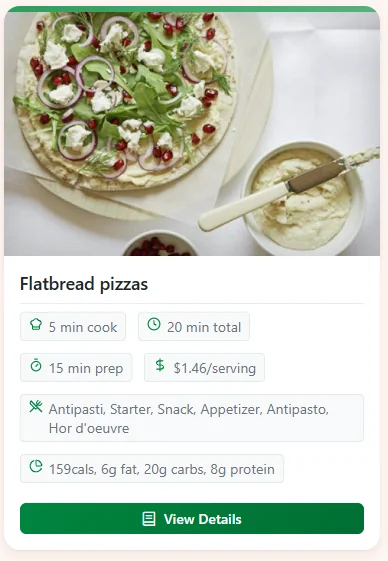
Plan Meals in Minutes
Drag recipes into a weekly plan, generate a grocery list, and share with your family.
Everything You Need in a Recipe Manager
From saving to cooking — Linkflare handles the full recipe workflow.
Save Recipes from Any Website
Clip recipes from AllRecipes, NYT Cooking, Bon Appétit, food blogs, or any website. One click and you have a clean recipe card — no life stories, no ads.
Auto-Extracted Ingredients & Steps
Powered by the spoonacular API, Linkflare automatically pulls ingredients, cooking steps, cook time, servings, and cuisine type from thousands of recipe websites.
Full Nutritional Data
See calories, protein, carbs, fat, and fiber per serving — automatically. Filter recipes by diet: keto, vegan, gluten-free, paleo, and more.
Meal Planning & Grocery Lists
Drag recipes into a weekly meal plan. Generate a combined grocery list from all planned meals with ingredient amounts summed and sorted by aisle.
Save from Videos & Photos
Extract recipes from TikTok, Instagram Reels, and YouTube tutorials. Photograph handwritten recipe cards and cookbook pages — Linkflare reads them.
Share Recipe Collections
Create a "Family Favorites" or "Dinner Party" collection and share a live link. Recipients see your recipes without needing an account.
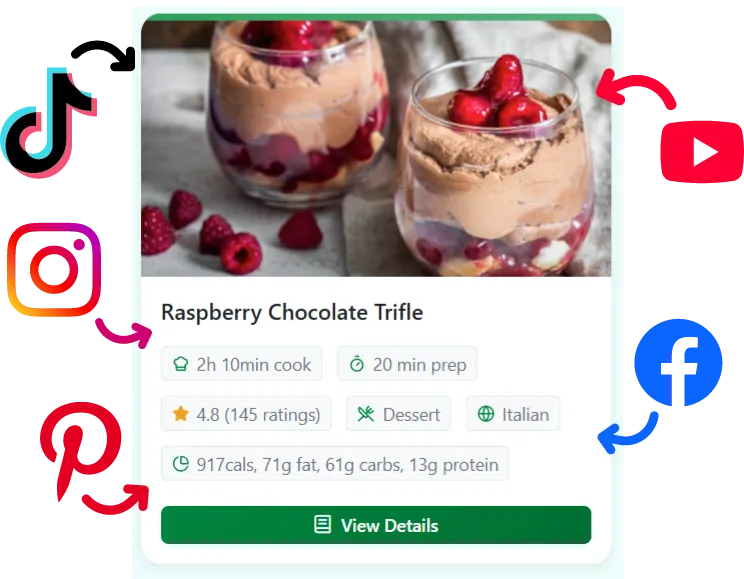
Extract Recipes from Anywhere — Even Videos
Clip recipes from any website with one click. Save recipes from TikTok, Instagram, YouTube, Pinterest, and Facebook videos. Photograph handwritten cards or cookbook pages — Linkflare reads them too.
- ✓ One-click save with the browser extension
- ✓ Mobile share sheet on iOS and Android
- ✓ Automatic ingredient and nutrition extraction
- ✓ Distraction-free recipe view with no ads
How It Works
Save a recipe
Use the browser extension, mobile share sheet, or paste a URL. Linkflare fetches the recipe and strips away ads.
Review smart metadata
Ingredients, cook time, servings, nutritional info, and diet tags appear automatically. Edit anything you like.
Organize your way
Add to a collection like "Weeknight Dinners." Tag with cuisines, ingredients, or occasions. Use the search bar to find it later in seconds.
Plan and cook
Drag recipes into the meal planner. Generate a grocery list. Cook from a clean, distraction-free view — even offline.
"I used to have links scattered everywhere. Now, my recipes show cooking times, and my movie watchlist has ratings automatically added. It's not just a list of links anymore; it's a smart library."
Jessica M.
Recipe Manager — FAQ
What websites can Linkflare extract recipes from?
Linkflare can extract structured recipe data from thousands of websites that use standard recipe markup, including AllRecipes, Food Network, BBC Good Food, Serious Eats, NYT Cooking, Epicurious, and most major food blogs. For sites without structured data, you still get a clean bookmark card with the page title and image.
Can I save recipes from TikTok and Instagram?
Yes. You can save video links from TikTok, Instagram, YouTube, and other platforms. Linkflare saves the video for playback and lets you add your own ingredients and notes. For YouTube videos with recipe descriptions, the metadata is automatically extracted.
Does the meal planner generate grocery lists?
Yes. Select a week of planned meals and Linkflare generates a combined shopping list with ingredient quantities summed across all recipes. You can check items off as you shop and add manual items too.
Can I share recipes with my family?
Absolutely. Create a shared collection and send the link to anyone. They can browse your recipes without needing a Linkflare account. You can also collaborate on shared collections where multiple people can add recipes.
Is Linkflare better than dedicated recipe apps?
Linkflare does everything a recipe app does — saving, organizing, meal planning, grocery lists — but it also handles everything else you bookmark: articles, movies, books, travel, wishlists. One app instead of five.
Can I import recipes from other apps?
Yes. Linkflare supports importing from Pocket, Instapaper, Chrome bookmarks, Raindrop, and more. Your existing recipe bookmarks will be automatically enriched with smart metadata.
Other Ways People Use Linkflare
Your next favorite meal is already saved somewhere
Stop collecting. Start cooking.
Start Saving Recipes — Free