Save Articles to Read Later — Distraction-Free
Found an article you don't have time for right now? Save it in one click and read it later in a clean, ad-free view. Track your progress, read offline, and subscribe to RSS feeds — all in one app that also handles your movies, books, recipes, and more.
Pick Up Right Where You Left Off
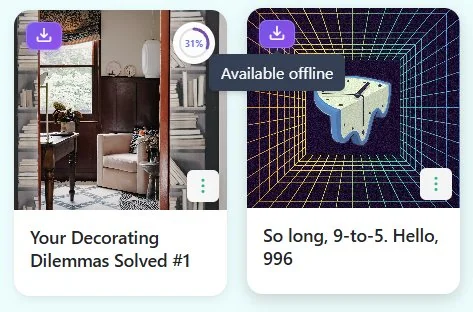
Reading progress is tracked automatically. Come back hours or days later and continue seamlessly.
Everything a Read Later App Should Be
Saving is just the start — actually reading is the goal.
Save Articles from Anywhere
Click the browser extension, use the mobile share sheet, or paste a URL. Linkflare strips away ads, pop-ups, and clutter — leaving only the content worth reading.
Distraction-Free Reader Mode
Every article opens in a clean, beautiful reader view. No auto-play videos, no cookie banners, no newsletter pop-ups. Just the text.
Track Reading Progress
See how far you've read at a glance. Linkflare remembers your last position so you can pick up exactly where you left off — even days later.
Read Offline
Articles are cached on your device. Read on the subway, on a plane, or anywhere without internet. Changes sync back when you reconnect.
Subscribe to RSS Feeds
Follow your favorite publications and blogs. New articles appear in your inbox automatically — no more newsletter emails cluttering your mail.
Estimated Reading Time
See how long each article takes to read before you commit. Perfect for matching articles to the time you have — 5-minute commute or 30-minute lunch break.
Never Lose an Article Again
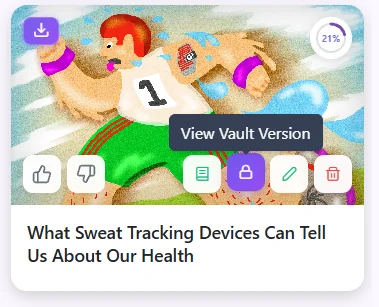
Every article you save goes into the Linkflare Vault. Even if the original website goes down, your copy survives. Combined with RSS feed subscriptions, you'll never miss and never lose an article.
- ✓ Permanent article archive in the Vault
- ✓ Auto-inbox from RSS feed subscriptions
- ✓ Offline reading on any device
- ✓ Reading time estimates before you commit
How It Works
Save an article
Use the browser extension, mobile share sheet, or paste a URL. One click — saved and stripped of distractions.
Read when ready
Open articles in reader mode. Clean, beautiful, and distraction-free. Your reading position is saved automatically.
Organize & find
Tag articles by topic. Search by keyword, filter by type, or browse your reading history in a single search bar.
Never lose it
Every saved article goes to the Linkflare Vault. Even if the original page goes down, your copy survives.
Linkflare vs. Pocket — Why Switch?
- ✓ Save articles for later
- ✓ Reader mode
- ✗ No movie/book/recipe metadata
- ✗ No map view for places
- ✗ No RSS feed subscriptions
- ✗ No reading progress tracking
- ✗ No article archive (Vault)
Linkflare
- ✓ Save articles for later
- ✓ Reader mode (distraction-free)
- ✓ Smart metadata for all bookmark types
- ✓ Map view for saved places
- ✓ RSS feed subscriptions
- ✓ Reading progress tracking
- ✓ Permanent Vault archive
See the full comparison: Best Pocket Alternatives in 2026
Read Later — FAQ
How is Linkflare different from Pocket?
Linkflare does everything Pocket does — save articles, read later, distraction-free reading — but adds smart metadata for movies, books, recipes, and more. You get a universal bookmark manager, not just a read-later app. Plus: offline reading, RSS feed subscriptions, reading progress tracking, and no paywalled features for basic organization.
Does Linkflare save articles for offline reading?
Yes. Linkflare is a Progressive Web App (PWA) that caches recently viewed articles on your device. Read on the subway, on a plane, or anywhere without internet. Your reading position and notes sync back when you reconnect.
Can I subscribe to RSS feeds?
Yes. Add RSS/Atom feed URLs and new articles automatically appear in your Linkflare inbox. Great for following blogs, news sites, and niche publications without subscribing to email newsletters.
Does Linkflare track my reading progress?
Yes. Articles show a progress bar and Linkflare remembers your reading position. When you return to an article, it scrolls to where you left off. You can also see the estimated reading time before starting.
What about articles behind paywalls?
Linkflare saves the content available at the time of saving. If an article is freely accessible when you save it, the full text goes into your Vault. Paywalled articles will save whatever content is available publicly.
Can I import my Pocket or Instapaper library?
Yes. Linkflare supports importing from Pocket (HTML export), Instapaper (CSV export), Chrome bookmarks, and Raindrop. Your saved articles will be imported and available in reader mode.
Other Ways People Use Linkflare
Learn more: Read Later App Guide · Pocket Alternatives 2026 · Reader Mode · RSS Feeds · Vault
Stop bookmarking articles you'll never read
Actually read them — distraction-free, progress-tracked, always available.
Start Reading — Free