Top 7 Pocket Alternative Apps to Use in 2026
TL;DR – The Best Pocket Alternatives After the July 8, 2025 Shutdown
Pocket shut down on July 8, 2025. After that date, the apps and extensions entered export-only mode until October 8, 2025—when all data was permanently deleted. If you had spent years building a reading list, saving links, and organizing articles with tags, it was essential to act before the deadline.
The good news: several tools replaced Pocket and allowed importing your exported data. Some are even better than Pocket ever was. Here’s where you should look:
Linkflare – the best universal bookmark manager and Pocket replacement for 2025 and beyond; save articles, videos, books, recipes, and places in one system with smart queues and offline access
Instapaper – minimal, focused read-it-later app with clean reading mode and Kindle support
Raindrop.io – powerful bookmarking app with visual collections and nested folders
Readwise Reader – advanced reading and annotation hub for researchers and heavy readers
Matter – design-forward reading experience with social features and newsletter support
Wallabag – open-source, self-hosted alternative for privacy-focused users
Notion Web Clipper – turns saved content into actionable projects and databases
Evernote Web Clipper – clipping and long-term archiving inside a note-taking system
Safari / Chrome Reading List – built-in browser options for casual users who save just a few clicks worth of content
Feedly / Inoreader – RSS readers that shift you from reactive saving to proactive following
All of these tools supported importing your exported Pocket data in CSV or HTML format. The rest of this guide explains where each one shines—and why Linkflare stands out as the best pocket alternative for users who want more than just a place to dump unread articles.
Pocket’s Shutdown Timeline – Key Dates You Should Know
Mozilla announced that Pocket, the read-it-later app it acquired in 2017, would shut down in 2025. For millions of users who relied on Pocket to save articles, organize web content, and read offline, this meant finding a replacement before their saved content disappeared forever.
Here were the critical dates:
July 8, 2025: Pocket apps, browser extensions, and normal functionality stopped working. The service entered export-only mode.
July 8 – October 8, 2025: Users could still sign into their Pocket account but only to export data (articles, highlights, tags, favorites). No new saving or syncing was possible.
October 8, 2025: All Pocket accounts and stored data were permanently deleted. API access ended. Reading material was gone.
Pocket’s recommendation feed continued to exist inside Firefox as a discovery feature, but the standalone apps, syncing experience, and personal archives were discontinued.
What users needed to do:
Export Pocket data (HTML or CSV) as soon as possible—don’t wait until September
Store a backup copy on their computer or cloud storage before importing to any alternative
Test their chosen replacement with a portion of their library before the shutdown date
The urgency was real. Pocket shutting down meant years of curated content could vanish if users didn’t act.
Why You Needed a Pocket Alternative (and What to Look For)
Losing access to Pocket meant losing years of saved links, highlights, and reading queues. For many users, this wasn’t just a minor inconvenience—it was a research archive, a future reference library, and a curated collection of reading material built over a decade.
When evaluating the best pocket alternatives, users looked for the core features that made Pocket useful:
Offline reading on mobile and desktop (for subway commutes, flights, low-connectivity situations)
Easy saving from every device: browser extensions, mobile share sheets, email-to-save, bookmarklets
Clean reading mode: distraction-free view for long-form articles without ads, sidebars, and clutter
Robust organization: search functionality, tags, and collections for large archives of full articles
Reliable import/export: acceptance of Pocket CSV/HTML files and offering backups for future reference
Beyond replacing what Pocket offered, modern tools in 2025 and beyond provide additional features Pocket never fully nailed:
Support for more content types: YouTube videos, PDFs, newsletters, podcasts, books, recipes, and travel places—not just a place for web pages
Smart or AI-assisted organization: auto-classification, recommendations, and the ability to summarize long notes
Collaboration and sharing: public reading lists, even a shared archive, and team collections
Cross-platform PWAs and offline-first experiences: full offline access that works across web browsers and mobile apps without requiring a separate app download
The rest of this article ranks the best pocket alternatives for 2026, starting with Linkflare as the most complete replacement for users who want to save stuff beyond just articles.
The 10 Best Pocket Alternatives in 2026
This section ranks 10 Pocket replacements, from universal bookmark managers to pure read-it-later apps to RSS readers. Each tool offers a different approach to saving and organizing web content.
The list focuses on tools with:
Active development in 2024–2026
Solid browser and mobile support across Apple devices and Android devices
A realistic migration path for Pocket users (direct import or CSV/HTML support)
Linkflare is recommended as the top pocket alternative for users who want one place for everything—articles, videos, books, recipes, travel places—with smart queues, offline reading, and map-aware bookmarks.
Each of the following sections describes who each tool is best for, key features, pricing notes, and migration tips from Pocket.
Linkflare – #1 Pocket Alternative for Universal Bookmarking and Offline Reading
Linkflare is a universal bookmark manager and Progressive Web App built for the way people actually consume content in 2026. Unlike Pocket’s single-purpose design, Linkflare lets you save and organize everything in one place—not just a reading list, but a complete digital workspace for your knowledge.
If you replaced Pocket, here’s what Linkflare offers that Pocket never could:
Core capabilities compared to Pocket:
Save any content type: web articles, YouTube videos, podcasts, PDFs, books, recipes, movies, and travel places
Smart queues that auto-classify items into Watch, Read, Listen, and Play—unlike Pocket’s flat list of unread articles
Distraction-free reader mode with clean reading mode, dark mode, and offline support for all saved articles
Progressive Web App that works on desktop and mobile (Chrome, Safari, Firefox, Edge) with full offline access to your library—no need to download from app stores
Unique Linkflare advantages:
Location-aware bookmarks: Pin restaurants, museums, and other places, view them on a map, and plan trips with contextual notes. This makes Linkflare more than just a place for articles—it’s a trip planning companion.
Knowledge Cards and hierarchical collections: Deep knowledge management for researchers and knowledge workers who need structure, not just a pile of saved content
Public sharing and collaboration: Share book lists and wishlists with friends or audiences, turning Linkflare into even a shared archive for communities
AI features: Smart organization that works as a personal research assistant, helping you organize articles and rediscover what you saved
Migrating from Pocket to Linkflare:
Export your Pocket data (HTML or CSV) before July 8, 2025
Upload to Linkflare’s import screen—the system parses bookmarks, maps tags to collections, and auto-classifies items into Read/Watch/Listen/Play where possible
A library of several thousand links typically imports in just a few clicks and a few minutes
Who Linkflare is ideal for:
Avid readers who also watch videos, listen to podcasts, and track books—people who need more than a simple tool for web pages
Travelers using location-based bookmarks for 2025 trips and city planning
Knowledge workers who need hierarchical organization, not just one big queue of new articles
Power users who want premium features like full text search and unlimited notes without restrictive paywalls
Linkflare represents the evolution of what Pocket should have become: a universal system for collecting ideas, saving links, and actually using what you save.
Instapaper – Minimal, Focused Read-It-Later Experience
Instapaper remains the closest one-to-one Pocket replacement for users who only need a pure reading list. It has been around since 2008 and continues to be the gold standard for distraction-free article reading.
Key features:
Clean reading mode with adjustable fonts, themes, spacing, and highlight text functionality
Offline reading on iOS, Android devices, and web version; supports sending full text articles directly to Kindle
Highlights and notes on text, with a central view of all your annotations—something many users missed in Pocket
Browser extensions for Chrome, Firefox, Edge, and mobile share integrations for quick saving
Pricing and limitations:
Free plan for casual users; Premium around $5.99/month unlocks full text search, unlimited notes, and speed reading modes
Focused primarily on articles and web pages—not a universal bookmark manager for movies, places, or recipes
The paid version adds advanced features but the free version covers most reading needs
Migration from Pocket:
Instapaper can import Pocket exports via HTML file, allowing users to bring their saved content over
Tags and folders may need manual re-organization after import
Who Instapaper fits best:
Users who mainly save long-form articles and want a simple queue, not advanced knowledge management
People who liked Pocket’s simplicity and want the least disruptive transition
Safari reading list users who want something more powerful but still minimal
Raindrop.io – Powerful Bookmarking and Visual Collections
Raindrop.io is a structured bookmark manager that doubles as a decent read-it-later app. It’s the choice for users who want full control over how their saved content is organized.
Key features:
Strong organization: collections, own tags, nested folders, custom icons, and filters
Save links for anything from the web—articles, PDFs, videos, images, even just screenshots—using browser extensions and mobile apps
Optional reader mode for articles, though its core strength is bookmarking and visual organization
Reliable cross-device sync across web, desktop apps, and mobile (iOS/Android)
Pricing and standout features:
Generous free plan; Pro plan (around $28/year) adds permanent page archiving, full text search, and AI tagging
Collaboration options like shared collections for teams or families
Visual, card-like layout that appeals to designers and researchers collecting ideas
Pocket migration:
Raindrop.io includes a direct Pocket import tool that preserves structure as much as possible
One of the easiest migration paths for Pocket users with large libraries
Ideal users:
People who want full control over bookmarks beyond reading lists (research, design inspiration, recipes)
Users who prefer a visual layout over a linear queue
Anyone who needs other apps to integrate via API or automation
Readwise Reader – Pocket Alternative for Heavy Readers and Researchers
Readwise Reader positions itself as more than a read-it-later app—it’s a complete reading and annotation hub designed for people who take their reading seriously. If you add notes to everything you read, this is your tool.
Key features:
Supports web articles, PDFs, newsletters, RSS feeds, and YouTube videos in one inbox
Powerful highlight and note system that syncs with Readwise and exports to Notion, Obsidian, and Roam
AI-assisted features including summaries and “Readwise-style” resurfacing to help you remember what you read
Works as a personal research assistant for knowledge workers
Experience and pricing:
Web and mobile apps with offline access for saved articles and documents
Paid subscription model (typically around $8-10/month) with a free trial; targets serious readers willing to invest
Premium version includes advanced features like AI summaries and spaced repetition
Migrating from Pocket:
Users can import Pocket exports into Readwise Reader via built-in import tools
Preserves most metadata including highlights if you used Pocket’s annotation features
Who should pick it:
Knowledge workers, researchers, and students who annotate heavily and want spaced repetition
Users who want a deep reading workflow, not just a queue of unread articles
Anyone building a second brain or personal knowledge management system
Matter – Design-Forward Reading App with Social Features
Matter is a modern, beautifully designed read-it-later app that’s gained popularity among knowledge workers who care about reading experience as much as functionality.
Key features:
Support for web articles, newsletters, Twitter/X threads, and sometimes podcasts/YouTube videos
Elegant reading interface with typography and themes tuned for long reading sessions
Social layer: follow writers, share highlights, and see what others are reading—similar to how Goodreads works for books
Sync across iOS and web (note: Android support has been limited historically)
Price and limitations:
Core features free, with premium options for advanced tools
Less focused on universal bookmarking (places, recipes, Facebook pages) and more on curated reading
Strong for newsletters but not ideal for saving diverse content types
Migration:
Matter supports Pocket imports, enabling quick onboarding for previous Pocket users
Works well for users migrating their article-focused Pocket saves
Ideal users:
People who care deeply about design and reading feel
Readers who enjoy a social, discovery-driven reading experience
Newsletter power users who want everything in one place
Wallabag – Open-Source Pocket Alternative for Privacy-Focused Users
Wallabag is a self-hosted, open-source read-it-later app for users who want complete control over their data. It’s the antithesis of cloud-dependent services that might shut down (like Pocket).
Key features:
Host on your own server (even a Raspberry Pi for under $50) or use paid hosting providers
Save web pages, blog posts, and some media URLs; read them in a clean, offline-capable interface
Tags, archives, and basic search functionality for organizing large reading lists
Your data never touches third-party servers—complete privacy and ownership
Integrations and technical considerations:
Possible integrations with RSS readers, Readwise, and other open-source tools
Strong appeal for users who prioritize privacy and hackability over polished UI
Requires some technical comfort with server setup and maintenance
Pocket migration:
Users can import Pocket export files into Wallabag, preserving URLs and tags
One of the better import experiences among self-hosted options
Target audience:
Developers, privacy advocates, and tinkerers comfortable with self-hosting
Users who want long-term independence from commercial SaaS tools
Anyone worried about another service shutting down like Pocket

Notion Web Clipper – For Readers Who Turn Articles into Projects
Notion is not a dedicated read-it-later app, but a flexible digital workspace where articles become part of larger systems. The web clipper makes it a viable Pocket alternative for users who integrate reading into their work.
Key features:
Web clipper saves full articles or simplified versions into databases or pages
Once in Notion, users can add properties (status, topic, source), link to tasks, and relate to other databases
Great for building research hubs, reading trackers, or shared reading databases for teams
OneNote web clipper users will find Notion’s approach familiar but more flexible
Reading experience and platform:
Basic reading mode without the same text-optimized experience as Pocket or Instapaper
Cross-platform apps (web, desktop, iOS, Android) with collaborative editing
Works well alongside other apps in a broader productivity stack
Pricing:
Free personal plan; paid plans (Plus, Business) for teams
Notion AI as optional add-on for summaries, analysis, and the ability to summarize long notes
Premium features include full text search across all content types
Migrating:
Pocket exports can be imported into Notion via CSV into a database, though setup is manual
Requires some initial configuration but allows endless customization
Best-fit users:
People who treat reading as part of research, project work, or documentation
Teams building shared knowledge bases that integrate saved articles and note taking apps
Users who want to add articles to existing workflows rather than maintain a separate app
Evernote Web Clipper – Clipping and Archiving Instead of Pure “Read It Later”
Evernote has a long history as a note-taking and clipping tool that can replace Pocket for users who want everything in one place. The Evernote web clipper makes saving web content straightforward.
Key features:
Web clipper saves full articles, simplified versions, or even just screenshots into notebooks
Powerful search (including text in images and PDFs on paid plans) for retrieving old clippings years later
Tags, notebooks, and shortcuts for organization; excellent for long-term archives
Drag images and content directly into notes for visual organization
Reading and platforms:
Reading experience is functional but less optimized than dedicated read-it-later apps
Apps on Windows, macOS, iOS, Android, and web, with sync between devices
Premium features include full text search across all content types
Pricing:
Limited free tier; Personal/Professional plans with more storage and devices at mid-range monthly pricing (around $14.99/month)
The free version is restrictive; serious users need the paid version
Migration from Pocket:
Pocket exports can be imported into Evernote via formatted HTML or third-party importers
Structure may require manual cleanup, but preserves content well
Who should consider Evernote:
Users already invested in Evernote for notes who want everything in one app
People who care more about clipping and archiving than a beautiful reader view
Long-term archivists who need rock-solid search functionality
Built-in Browser Options – Safari & Chrome Reading Lists
These are the lightest-weight Pocket alternatives that require no new accounts, no downloads, and no learning curve. They’re already on your devices.
Safari Reading List (Mac, iOS, iPadOS):
Built into Safari with one-click adding from the share menu
Offline reading support and Reader Mode on Apple devices
Limited organization: no tags, no folders, simple chronological list only
Works well alongside Safari reading list for casual saving
Chrome Reading List:
Integrated into Chrome on desktop and mobile with read/unread toggles
Simple behavior: a linear queue without advanced filters or tags
Offline access on mobile; easy for casual saving of a few pages
No internet connection required once pages are saved
Pros and cons:
Ideal for casual users who only keep a small, rotating queue of 10-20 articles
Not suited for people with thousands of saved items or complex topic-based organization
No premium features, no cost, but also no power user capabilities
Migration:
Moving a full Pocket export into browser reading lists is largely manual
Best used if you’re starting fresh post-2025 rather than importing years of history
RSS Readers (Feedly, Inoreader) – Replacing Pocket with Proactive Reading
RSS apps shift you from reactive saving (stumbling on articles and adding them to Pocket) to proactive following of sources you trust. They’re not direct Pocket replacements but can reduce your need for a read-it-later app entirely.
Feedly:
Follows up to ~100 sources on the free plan; organizes them into folders
AI filters on paid plans to prioritize topics and mute noise
Offers “Read Later” or board features that partly mimic Pocket’s core features
Integrates with other apps for automated workflows
Inoreader:
Geared toward power users: rules, filters, tags, and permanent archives
Supports not just blogs but newsletters, YouTube channels, and more
Paid tiers remove ads and unlock advanced automation
Functions almost like RSS readers combined with a bookmarking app
General considerations:
Both integrate with Notion, Google Sheets, and note apps to build automated reading workflows
Neither fully replaces offline-friendly article queues by default, but both reduce constant link-saving
Good complement to a bookmark manager rather than a complete replacement
Migration approach:
Use your Pocket export to identify which sources you saved from most often
Subscribe to those sources directly in Feedly or Inoreader instead of saving individual articles
Reduces inbox-style saving in favor of following creators systematically
Who they suit:
Users who want to follow creators and publications systematically rather than save individual pieces
People who like automation and rule-based reading pipelines
Anyone overwhelmed by pocket saves who wants a more intentional approach
How to Migrate from Pocket to Linkflare (Step-by-Step)
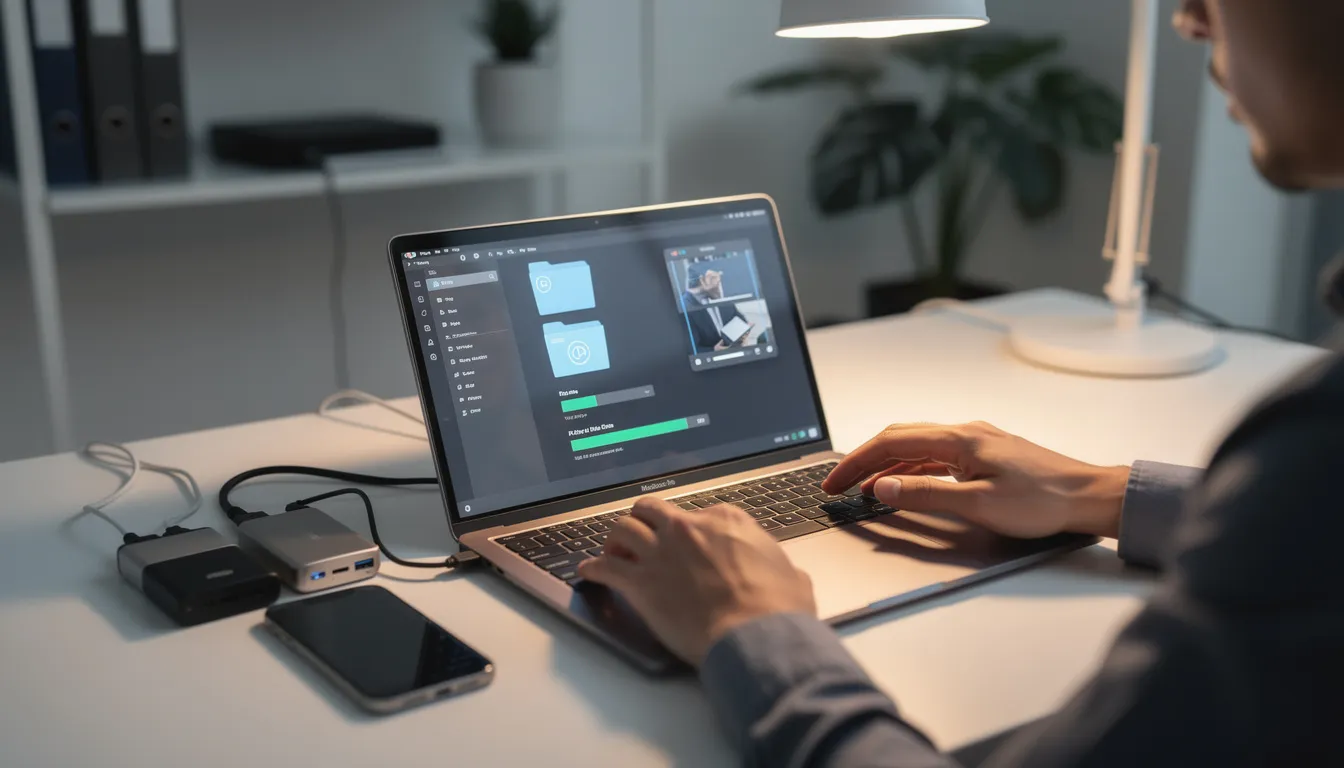
This is the recommended migration path for readers who wanted a modern, future-proof Pocket alternative that goes beyond what Pocket offered. The process typically takes about 10 minutes for most libraries.
Step 1 – Export from Pocket:
Log into your Pocket account before July 8, 2025 (or at least before October 8, 2025, while export-only mode was active)
Go to Pocket’s export page (getpocket.com/export) and download your data in HTML format
Save the file safely on your computer—this was your backup in case anything went wrong
Verify that the export included titles, URLs, tags, and favorite status
Step 2 – Create a Linkflare account:
Visit linkflare.io and sign up with email or supported SSO providers
Install the browser extension for Chrome, Firefox, or Edge for quick future saves
Or set up the PWA on your home screen for app-like access without downloading from app stores
Step 3 – Import into Linkflare:
Go to Linkflare’s import screen in your account settings
Upload your Pocket export file
Linkflare parsed bookmarks, mapped tags to collections, and auto-classified items into Read/Watch/Listen/Play where possible
A library of several thousand links typically imports in just a few clicks—expect a few minutes for processing
Step 4 – Organize and upgrade:
Once imported, create thematic collections (e.g., “AI Research,” “2025 Trips,” “Recipes to Try,” “Books to Read”)
Pin upcoming trips and favorite restaurants using Linkflare’s location-aware bookmarks
Use smart queues to tackle your reading list, watch list, and listen list separately
Benefits of this migration:
You get a richer system than Pocket ever offered without losing your legacy library
Offline reading works across all devices via the PWA
Universal bookmarking means you’ll never outgrow the tool—save articles, books, YouTube videos, places, and more
Your content is future-proofed with export options so you’re never locked in again
Which Pocket Alternative Should You Choose?
The “best” Pocket alternative depends entirely on how you used Pocket. Pure reading? Research? Trip planning? Universal saving? Here’s a decision framework:
Choose based on your use case:
Choose Linkflare if you want one place for everything—articles, videos, books, recipes, travel places—with smart queues, offline reading, and map-aware bookmarks
Choose Instapaper if you only need a simple, text-focused article queue with minimal setup and want a clean reading experience
Choose Raindrop.io if you’re primarily a bookmark organizer and visual collector who wants nested folders and tags
Choose Readwise Reader or Matter if you’re a heavy reader who annotates extensively and wants advanced knowledge workflows
Choose Wallabag if open-source, self-hosting, and privacy are your top priorities
Choose Notion/Evernote if you want articles to live inside a broader notes and projects system
Choose browser reading lists for minimal, built-in options or RSS readers for proactive alternatives
Final recommendation:
Start by importing your Pocket archive into Linkflare to see how your old reading list feels inside a modern universal bookmark manager
Even if you experiment with other apps, keeping a full backup in Linkflare ensures your library remains safe and searchable long-term
The future of read-it-later is universal bookmarking, smart organization, and offline access everywhere—Linkflare delivers all three
Your years of saved content deserved a home that won’t disappear. Export from Pocket in time, import into Linkflare, and upgrade from a simple tool to a complete system for managing everything you want to read, watch, listen to, and explore.
📖 Related guide: Best Read Later App 2026 — see how Linkflare works as a Pocket replacement with distraction-free reading, queues, and offline access.